
- Products
-
Audio & Studio Equipment
See all
-
Cameras & Optics
See all
- Computers & Mobile Devices
- Drones & Aerial Imaging
-
Professional Video & AV
See all
- Security & Surveillance
- TVs & Entertainment
SubcategoriesSee all -
Audio & Studio Equipment
- About us
- Contact Us
- +1-888-219-0753
- Bulk Order

- Products
-
Audio & Studio Equipment
See all
-
Cameras & Optics
See all
- Computers & Mobile Devices
- Drones & Aerial Imaging
-
Professional Video & AV
See all
- Security & Surveillance
- TVs & Entertainment
SubcategoriesSee all -
Audio & Studio Equipment
- About us
- Contact Us
- +1-888-219-0753
- Bulk Order
HomeCatalogAudio & Studio EquipmentAudio for VideoAll Field Mixers & AccessoriesSound Devices A20-QuickDock for A20-Nexus and 8-Series Mixer-Recorders
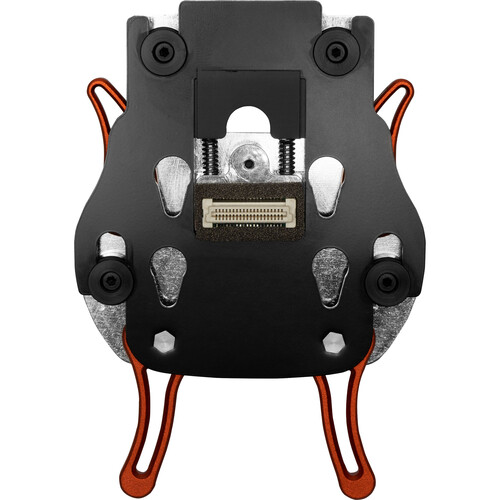
Sound Devices A20-QuickDock for A20-Nexus and 8-Series Mixer-Recorders
In Stock
SKU #
SOA20QD
Mfr #
11558
Manufacturer
Sound Devices
Description
Dock your A20-Nexus to a Sound Devices 833, 888, or Scorpio mixer-recorder using the A20-QuickDock accessory, which provides convenient cable-free power, audio, and timecode connections. The dock's quick-release mechanism allows the A20-Nexus to connect and disconnect from the 833, 888, or Scorpio with no tools, for easy remote mounting in seconds. Go CablelessWhen the A20-Nexus is Docked to an 8-Series: Power must be provided by the 8-Series A20-Nexus power inputs (TA4 and PoE+) are disabled.The A20-Nexus and its NexLinked transmitters are controlled from the A20-Nexus front panel or its web app. The 8-Series user interface is not used for control.Most A20-Nexus rear panel connectors are disabled apart from the antenna connectors, the USB-A port, and the Ethernet ports.When docked to an 8-Series, the A20-Nexus Ethernet ports can only be used for control, not Dante.Dock the A20-Nexus to an 8-Series and Use USB to: Pair A20-Mini transmitters to the A20-Nexus by connecting a USB-C cable from the transmitter to the USB-A port. Attach a USB keyboard for entering text directly (e.g. receiver channel names) into the A20-Nexus.Mount a USB thumb drive for updating A20-Nexus firmware.Sync 8-Series timecode to an A20-Mini via the A20-Nexus.
Product Information
Availability:
In Stock