
- Products
-
Audio & Studio Equipment
See all
-
Cameras & Optics
See all
- Computers & Mobile Devices
- Drones & Aerial Imaging
-
Professional Video & AV
See all
- Security & Surveillance
- TVs & Entertainment
SubcategoriesSee all -
Audio & Studio Equipment
- About us
- Contact Us
- +1-888-219-0753
- Bulk Order

- Products
-
Audio & Studio Equipment
See all
-
Cameras & Optics
See all
- Computers & Mobile Devices
- Drones & Aerial Imaging
-
Professional Video & AV
See all
- Security & Surveillance
- TVs & Entertainment
SubcategoriesSee all -
Audio & Studio Equipment
- About us
- Contact Us
- +1-888-219-0753
- Bulk Order
HomeCatalogProfessional Video & AVSignal Processing & DistributionSignal ConvertersMagewell Pro Convert SDI TX 1-Channel NDI Encoder
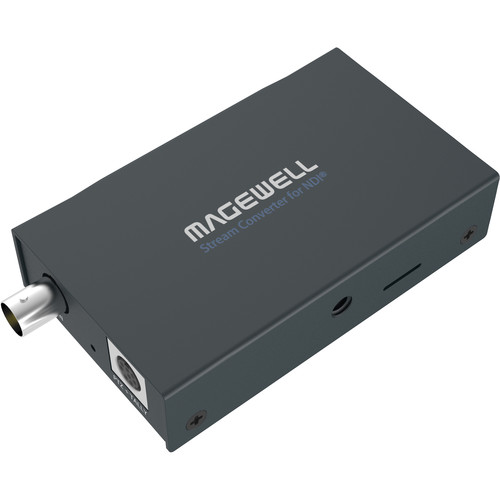
Magewell Pro Convert SDI TX 1-Channel NDI Encoder
In Stock
SKU #
MA64060
Mfr #
64060
Manufacturer
Magewell
Description
The Pro Convert SDI TX 1-Channel NDI Encoder from Magewell allows you to convert an SDI signal with embedded audio to an NDI stream. It supports resolutions up to 2048 x 1080 at 60p on both input and NDI output. The device can be powered via an included power adapter or over PoE using the NDI port. It features a 1/4"-20 thread for camera mounting and can be used in the studio or in the field thanks to a compact and robust design. There's also a PTZ+tally shared mini-DIN port for connecting tally lights or setting up NDI-based PTZ camera control. A tally light accessory comes included. A companion Web UI allows assigning the device name, source name, and other settings. The encoder also has an on-board SD card slot but it is not functional at the time of this writing. Any future firmware updates will also be accessible via the Web UI. The Pro Convert SDI TX Encoder additionally features an integrated cable equalizer that allows for SDI cables lengths up to 590'.SDI Specific Features Integrated cable equalizer allows SDI cable lengths up to 590'Support for SD/HD/3Ga/3Gb/3Gb-DL/3Gb-DS (SMPTE 2081) standardsRGB 4:4:4, YCbCr 4:4:4, YCbCr 4:2:2 color sampling8-/10-/12-bit color depthSupport for extraction of SMPTE 352 payload identifierSupports 16-input (mono) and 16-output audio channelsAllows extraction of audio formation information and channel status dataYCbCr 4:2:2 10-bit 1080p 50/59.94/60: captured as 1080i 50/59.94/60YCbCr 4:4:4 10-bit: captured as 4:2:2RGB 4:4:4: R/B sub-sampledNDI Output Format 4:2:2 8-bit outputUp to 2048 x 1080 at 60 fpsSupport for NDI 3.xSupported Web Browsers Microsoft Internet Explorer 11Microsoft EdgeMozilla Firefox version 61 and aboveGoogle Chrome version 49 and aboveApple Safari 11.1 and aboveOpera 55.0.2994.44 and aboveSupported Software OBSXSplitvMixVidBlasterXWirecaststreamstar SWmimoLiveAny other NewTek NDI-enabled encoding or streaming softwareVideo Processing Features Video brightness, contrast, saturation, and hue adjustmentVideo de-interlacing: top field only; bottom field onlyAuto or manual selection of output aspect ratioAuto or manual selection of input color format and quantization rangeAuto or manual selection of output color format, quantization range, and saturation rangeSupport for RGB, YUV BT.601, YUV BT.709, and YUV BT.2020 input color formatsSupport for YUV BT.601, YUV BT.709, and YUV BT.2020 output color formatsSupport for limited or full quantization rangeSupport for limited, full, and extended gamut saturation rangeVideo frame rate conversionVideo mirror flipNDI Source Name Set the device name and source name shown in the system using Web UI Set board-index, from 0 to F, through an on-board rotary switch
Product Information
Availability:
In Stock