
- Products
-
Audio & Studio Equipment
See all
-
Cameras & Optics
See all
- Computers & Mobile Devices
- Drones & Aerial Imaging
-
Professional Video & AV
See all
- Security & Surveillance
- TVs & Entertainment
SubcategoriesSee all -
Audio & Studio Equipment
- About us
- Contact Us
- +1-888-219-0753
- Bulk Order

- Products
-
Audio & Studio Equipment
See all
-
Cameras & Optics
See all
- Computers & Mobile Devices
- Drones & Aerial Imaging
-
Professional Video & AV
See all
- Security & Surveillance
- TVs & Entertainment
SubcategoriesSee all -
Audio & Studio Equipment
- About us
- Contact Us
- +1-888-219-0753
- Bulk Order
HomeCatalogAudio & Studio EquipmentStudio RecordingAll Studio MonitoringSteinberg Nuendo 14 Audio Postproduction Software
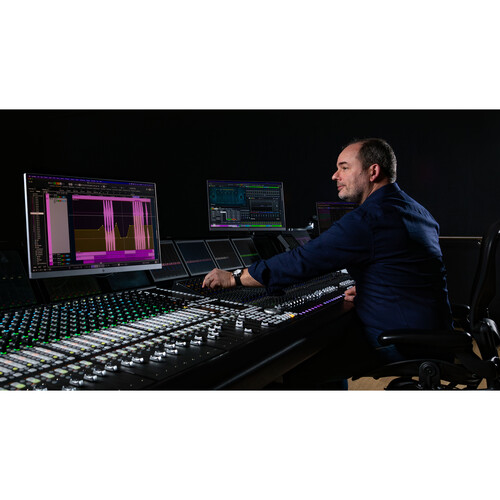
Steinberg Nuendo 14 Audio Postproduction Software
In Stock
SKU #
ST92280
Mfr #
92280
Manufacturer
Steinberg
Description
Nuendo 14 Software from Steinberg is an advanced audio postproduction solution, and version 14 brings many great additions over the previous version. It is suitable for use in film, television, and game audio, as well as for the immersive sound industry. Some of the additions in version 14 include AI-powered speech-to-text technology, a powerful mixing assistant, enhanced event volume curves, and the capability to preview sound effects from Audiokinetic's Wwise. Nuendo 14 is compatible with Windows and Mac systems. What's New in Nuendo 14Adaptive Background Attenuation (ABA) With Nuendo 14 you can easily automate the balance of your mix to ensure the dialogue is always intelligible. Using the dialogue stem as a reference, ABA will attenuate loud background sounds automatically by a selected decibel (dB) value, ensuring the foreground sound is always clear. Once the process has been applied, you will still have full control over the overall mix, being able to review the changes and adjust levels as needed.Dialgue Transcription Nuendo 14's new AI-powered speech to text feature enables dialogue tracks to be transcribed into ADR cycle markers. Using a machine learning model for speech recognition and transcription, this will save hours of work by writing the transcription of the original soundtrack into existing markers or to create new markers with the transcribed dialogue inside, for example in a dubbing project.Game Audio Connect 3 Preview sound effects directly from Audiokinetic Wwise, without having to export the audio assets out of Nuendo first. Triggering a segment from the game itself will play back the audio from within Nuendo, letting adjustments be made before rendering the assets and transferring them into Wwise. Different sounds can also be tried out while playing the game, simply by changing the event selection in Nuendo.Modulators The new modulators deliver the creative freedom of parameter-based automated sound variations, but with complete control over the results. With dynamic parameter control, which is based on material within the project, the modulators create movement, add tension, and much more, to your sound effects and game sound design.Event Volume Curves Gain staging is now easier in Nuendo 14, using fast and flexible Event Volume Curves to adjust levels within audio events, without having to switch tools. Valuable for both dialogue clips and sound effects, this feature offers streamlined options to optimize your editing workflow.Range Tool Improvements The Range Selection tool has been improved to speed up the audio editing process, with flexible visualization and specific editing functions to selected regions while it is enabled, either with key commands or by modifier keys.Audio Segment Automatic Detection Nuendo can now auto-detect audio segments that are recognized as belonging together, such as a word or a whole phrase in a dialogue track, by pressing a user-assigned modifier key. These segments can then be selected using the Range tool with a single mouse click. Their volume can also be adjusted using the new Event Volume Curves functionality.ADR Overlay Improvements The video window in Nuendo can now display any attribute available for ADR sessions, for example dialogue scene, number, or ID. It also offers the ability to modify how the text is displayed, including font size, font color, alignment, word wrap, and more.Video Engine Update Nuendo's video engine has been revamped to support 4K and 8K video resolutions, as well as scaling to even higher resolutions correctly, to fit them within the video window. Video playback efficiency is improved and there is no limitation on resolution with a powerful enough processor.CSV Import without Timecode CSV files can now be imported into Nuendo without needing timecode information. When a CSV file is imported, Nuendo will automatically assign the markers to the project window, allowing the user to set up how they should be placed in the timeline.DOP Previ
Product Information
Availability:
In Stock