
- Products
-
Audio & Studio Equipment
See all
-
Cameras & Optics
See all
- Computers & Mobile Devices
- Drones & Aerial Imaging
-
Professional Video & AV
See all
- Security & Surveillance
- TVs & Entertainment
SubcategoriesSee all -
Audio & Studio Equipment
- About us
- Contact Us
- +1-888-219-0753
- Bulk Order

- Products
-
Audio & Studio Equipment
See all
-
Cameras & Optics
See all
- Computers & Mobile Devices
- Drones & Aerial Imaging
-
Professional Video & AV
See all
- Security & Surveillance
- TVs & Entertainment
SubcategoriesSee all -
Audio & Studio Equipment
- About us
- Contact Us
- +1-888-219-0753
- Bulk Order
HomeCatalogComputers & Mobile DevicesComputer PeripheralsKVMAdder ADDERView 24-Port CATx 4000 Secure KVM Switch
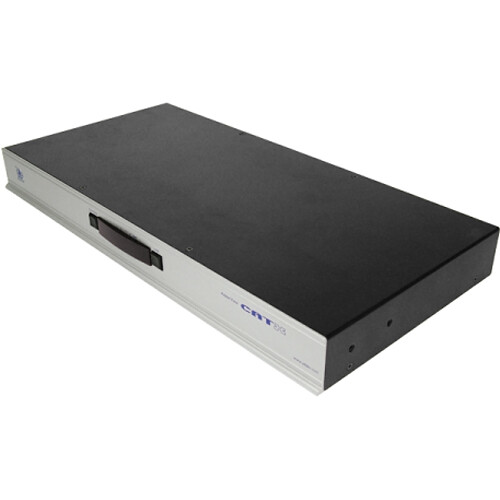
Adder ADDERView 24-Port CATx 4000 Secure KVM Switch
In Stock
SKU #
ADAVX4024USA
Mfr #
AVX4024-USA
Manufacturer
Adder
Description
The ADDERView 24-Port CATx 4000 Secure KVM Switch from Adder is a secure KVM via CATx switch that provides four concurrent local, remote, or global users with BIOS-level control of up to 24 multi-platform servers. With support for plug-and-play and a 1 RU form factor, the ADDERView CATx is a self-contained system that may be quickly installed and combines security, flexibility, integrated remote power control, and high quality video. The four simultaneous users may connect locally (one PS/2 or USB) or remotely (four via Cat 5, 5e, or 6).Enhanced Video Quality The ADDERView CATx series provides exceptionally high video performance to local, remote, and global users alike, supporting resolutions up to 1900 x 1440 with DDC emulation.Multi-Platform Support The ADDERView CATx series supports PS/2, USB, and Sun. Country code reporting, DDC, and keyboard and mouse emulation ensure consistent operations.PS/2 or USB Keyboard and Mouse Control Any PS/2 or USB style keyboard and mouse may be used to control the ADDERView CATx series.Easy Cascade Expand using CATx cascade connections with simple, intuitive user set up.Optional CD Quality Audio The ADDERView CATx switches provide CD quality audio to users when optional audio enabled CAM modules are used.Power Control Providing complete reboot function, the ADDERView CATx series interfaces with power switches via a dedicated RS-232 port.Local User Choice of PS/2 or USB keyboard and mouse control.Remote User Up to 984' from computer using Adder extenders.Computer Access Modules Flash upgradeable CAMs available for PS/2, USB, and Sun keyboard and mouse support with optional audio.Dual Power Inputs The primary and optional auxiliary power supplies connect here.Remote User Ports Up to four remote users can be connected, using optional Adder X100/X200 extenders and standard Cat 5, 5e or 6 cabling, and a maximum distance of 984' from the AdderView CATx unit.Local User Ports Connect a keyboard and mouse (either PS/2-style or USB), plus a video monitor and optional speakers to these connectors. These allow you to perform the initial configuration of the ADDERView CATx. Additionally, you can use these to locally control the connected computer(s).Computer Ports Each computer connects to one of these ports via standard Cat 5, 5e or 6 cabling. At the other end of the cabling a CAM (Computer Access Module) is used to provide the necessary keyboard, video, mouse, and optional speaker connections.Power Control Port Optionally use this port to control one or more power switches. These allow the remote user to take full control of the computer system(s).Upgrade Port This port is used to update (when necessary) the internal firmware of the ADDERView CATx unit and optionally to control port switching.
Product Information
Availability:
In Stock