
- Products
-
Audio & Studio Equipment
See all
-
Cameras & Optics
See all
- Computers & Mobile Devices
- Drones & Aerial Imaging
-
Professional Video & AV
See all
- Security & Surveillance
- TVs & Entertainment
SubcategoriesSee all -
Audio & Studio Equipment
- About us
- Contact Us
- +1-888-219-0753
- Bulk Order

- Products
-
Audio & Studio Equipment
See all
-
Cameras & Optics
See all
- Computers & Mobile Devices
- Drones & Aerial Imaging
-
Professional Video & AV
See all
- Security & Surveillance
- TVs & Entertainment
SubcategoriesSee all -
Audio & Studio Equipment
- About us
- Contact Us
- +1-888-219-0753
- Bulk Order
HomeCatalogComputers & Mobile DevicesSoftware & TutorialsHome & Office SoftwareSoftMaker FlexiPDF 2025 (Windows Download)
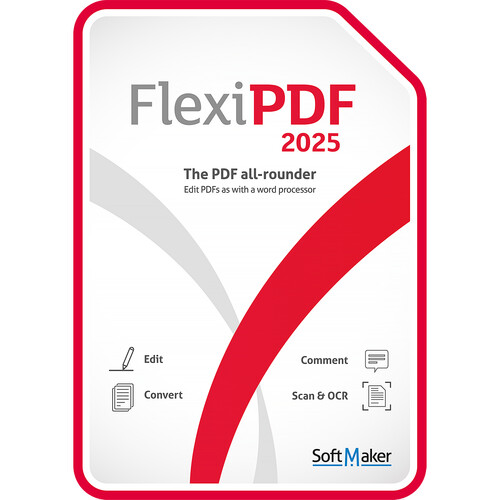
SoftMaker FlexiPDF 2025 (Windows Download)
In Stock
SKU #
SOBN0033E
Mfr #
BN-0033-E
Manufacturer
SoftMaker
Description
Create, edit, fill, sign, protect, and comment in PDF files as if they were a Word document using this download of FlexiPDF 2025 from SoftMaker. This software will let you edit PDF files, insert pictures and drawings, add, reorder, and delete pages, and convert scans into editable PDF files (OCR). Users may also prepare comments and remarks, track changes, fill interactive and static forms, creative interactive forms, and compare PDF files. When it's time to export your work, it may be sent to various formats, including TextMaker, Microsoft Word, pictures, EPUB, and HTML. Or use the Snapshot feature to paste an area of a PDF file into another program as a picture. FlexiPDF virtual printer creates high-quality PDF files from any application that can print. Features new to this edition include showing multiple PDFs in tabs, advanced document comparison, improved user interface, dark mode, snapshot feature, new spell checker and automatic hyphenation, full screen mode, and more. FlexiPDF 2025 is a one-time purchase that is licensed for three computers within a household, or one computer of a company or organization. It is compatible with Windows 11, 10, 8, 7, and Windows Server 2008 R2 or later, as well as Citrix XenApp and Microsoft Terminal Server. What's NewShow Documents In Tabs With FlexiPDF 2025, you can edit PDF documents as easily as with a word processor. FlexiPDF provides a completely new ribbon style toolbar similar to modern Office programs. This makes it particularly easy when starting off with the program or migrating to it. You will find the commands in familiar locations like in TextMaker, Microsoft Word, and other Office applications. Now you can open multiple PDF documents in separate tabs.Improved Dark Mode Prolonged work on the screen can be very tiring for your eyes. FlexiPDF 2025 provides a solution. With just one click, you can switch the user interface to a dark mode that is easier on your eyes. The ribbon toolbar can be minimized to reduce size of user interface if needed.Spellchecker and Hyphenation Improved multi-language spell check and automatic hyphenation.Improved Snapshots You can use the Snapshot tool to select any areas of your PDF document with the mouse. Then you can either save them as image files or paste them to other programs using the clipboard.Full-Screen View FlexiPDF 2025 can enlarge its program window to full screen size. Switching between document tabs is possible in full-screen mode if multiple tabs are open in the same program.Advanced Document Comparison FlexiPDF 2025 lets you view two PDF documents side by side and scroll through them synchronously. By automatically highlighting differences between two documents in color, the program saves you time when comparing two PDF files and more.
Product Information
Availability:
In Stock