
- Products
-
Audio & Studio Equipment
See all
-
Cameras & Optics
See all
- Computers & Mobile Devices
- Drones & Aerial Imaging
-
Professional Video & AV
See all
- Security & Surveillance
- TVs & Entertainment
SubcategoriesSee all -
Audio & Studio Equipment
- About us
- Contact Us
- +1-888-219-0753
- Bulk Order

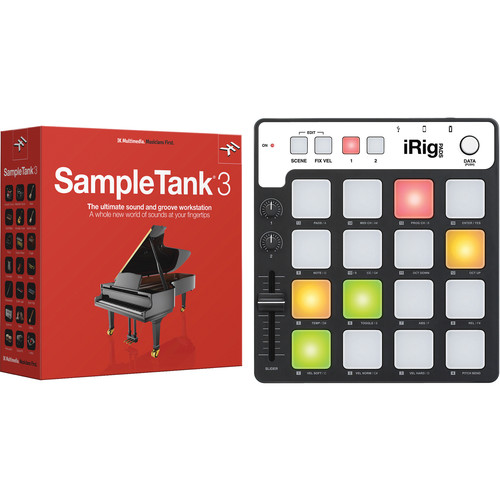
IK Multimedia SampleTank 3 and iRig Keys Pro Controller for Mac and PC
In Stock
SKU #
IKST3IKMPC
Mfr #
CB-KPST3-HCD-IN
Manufacturer
IK Multimedia
Description
The IK Multimedia SampleTank 3 and iRig Keys Pro Controller for Mac and PC features a full-sized velocity sensitive keyboard that allows you to play a collection of over 4,000 virtual instruments in 21 categories on your Mac or PC as AAX, VST, or AU plug-ins, as well as in stand alone mode for live performance applications.Play Environment The Play Environment allows you to browse thousands of instruments from Hip Hop to classical as well as make adjustments on the flyThe Browser SampleTank 3 features a streamlined browser. Use it to quickly find the sounds you need. Its tabs let you easily navigate between all the essential elements of the Play Page: MULTI, INSTRUMENT, PATTERN and LIVE. Need help? Try the INFO tab at the bottom of the Browser, that's where you'll find all the important details for each sound: its description, a list of its assigned controllers and a vivid 3D representation of the selected instrument. For patterns, switch to the PATTERN tab for a quick way to try out new patterns at various tempos with the sounds you've already loaded. Looking for something? SEARCH lets you use keywords to find the sounds you're looking for using simple terms like music genres or sonic attributes. For example, if you want a pad sound to fill out your electronic track type "atmospheric," and SampleTank 3 will present you with a tailored sound palette of Instruments and Multis. Now you can get back to the business of finishing your song. With SampleTank 3, naming, saving and deleting your Multis or Instruments is easy. Just click on the menu icon in the bottom leftThe Part Viewer The Part Viewer features an overview of the 16 Parts in your selected Multi. For each Part, you can see the loaded Instrument along with easy-access controls for volume and pan. The Part Viewer is also where you select the Part to load an Instrument into or to access its Macro controls and insert effects in the control panel at the bottomWorking with Patterns Want to get in the groove? SampleTank 3 includes a collection of pre-made MIDI Patterns that you can use to spice up your songs. When you click the PATTERN tab you'll see a list of the MIDI Patterns available - all easily previewable with the Browser's dedicated preview button. You can load up to 128 MIDI patterns per part with each organized on your keyboard starting from C0 with one pattern per note With these Patterns you'll always find something that fits. Once assigned to keys you can edit your Patterns to suit the tone of your song by applying quantization, changing the intensity of the Pattern's dynamics or even transposing the Pattern up-or-down. And should you need to take it further you can drag your edited Pattern straight into the DAW of your choice, and it will retain all of your carefully considered fine-tuning. Once your patterns have been loaded where you want them, you can use the Global Play button at the bottom to start and stop all enabled Patterns simultaneouslyArticulation Different playing styles are what give real instruments their distinct character. SampleTank 3 gives you dynamic expressiveness through its "round robin" feature and multiple articulations, both of which help you mimic the organic tonality of real instruments. Think of articulations as different playing styles. For example, a violinist doesn't just trigger notes but instead uses a variety of techniques - like Pizzicato plucks, abrupt Staccato bursts and sustained Sostenuto tones - to express a full spectrum of musical emotions. SampleTank 3 lets you apply the same principle to a majority of its sounds. These articulations are easy to use and can be played in a variety of ways: assign them to a specific key, control them with the modulation wheel or simply cue them by playing different velocities. This is particularly noticeable when it comes to acoustic instruments where subtle changes in technique - like finger plucking versus pick playing on a bass - make all the differenceLayers, Splits, and Multi-Timbral
Product Information
Availability:
In Stock