
- Products
-
Audio & Studio Equipment
See all
-
Cameras & Optics
See all
- Computers & Mobile Devices
- Drones & Aerial Imaging
-
Professional Video & AV
See all
- Security & Surveillance
- TVs & Entertainment
SubcategoriesSee all -
Audio & Studio Equipment
- About us
- Contact Us
- +1-888-219-0753
- Bulk Order

- Products
-
Audio & Studio Equipment
See all
-
Cameras & Optics
See all
- Computers & Mobile Devices
- Drones & Aerial Imaging
-
Professional Video & AV
See all
- Security & Surveillance
- TVs & Entertainment
SubcategoriesSee all -
Audio & Studio Equipment
- About us
- Contact Us
- +1-888-219-0753
- Bulk Order
HomeCatalogComputers & Mobile DevicesSoftware & TutorialsPost Production SoftwareDarkroom Software Darkroom Core Edition 9.3 Software (Activation Version Download)
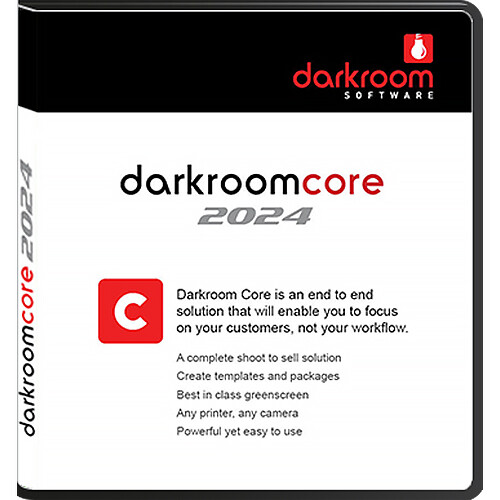
Darkroom Software Darkroom Core Edition 9.3 Software (Activation Version Download)
In Stock
SKU #
DADC93A
Mfr #
DSCORE
Manufacturer
Darkroom Software
Description
The downloadable Darkroom Core Edition 9.3 Software from ExpressDigital is a popular and versatile computer software package for photographers. Features added and improvements made in this version include auto camera detection, the ability to scan QR codes on Quick Import, support for Photoshop droplets, support for remove.bg, and drag and drop auto insert image placement in Panoramic and multi-image templates. Additionally, you can now benefit from more marketing and online sales options and Windows 10 support. This is the activation version of the software, meaning activation is done via code and you do not need and will not receive a dongle (USB software protection key). Notable features from version 9.3 and earlier editions include live view support for Nikon DSLR cameras, a built-in print driver, greater printer compatibility, a better greenscreen feature, a Chroma Masking Tool, Instant-Print, the ability to hide photos in the Library and Presentation modes by rating, and an "E-mail this Photo" capability that includes publishing to Facebook, to name a few. Use and alter 200 pre-loaded templates to create calendars, mugs, mouse pads, and more. Or, create your own templates. Advanced editing tools let you touch-up images, export them to media at a set resolution, and add watermarks to protect your images. Two display modes allow you to show images to individual customers or to groups at events. The software also turns your computer into an ordering kiosk and cash register, providing a convenient ordering solution for your customers. What's New in Edition 9.3Support for Remove.bg Remove.bg is a third-party service that will remove the background of any photo with or without green screen. It works 100% automatically: just select your image and instantly download the result image with the background removed without any additional layer separation. Remove.bg is a great solution for problem images such as the random green dress at the prom. The service requires an internet connection.Drag and Drop in Panoramic and Multi-Image Templates In previous versions, panoramic and other multi-image templates had to be built with the correct number of photo nodes to match the number of subjects. For example if you had a sports template with 11 nodes and a team comes along with 12 players you had to edit the template and add another photo node or more as needed. Now just create all templates with a single photo node, drag and drop green screen images as needed and Darkroom will add new duplicate photo nodes as needed. You can also select 2 or more green screen images in the film bar in the Photo Workshop and choose "Insert selected" and those will be added automatically and spaced accordingly in the template.Auto Camera Detection Previous versions required navigating to the setup tab to choose the camera brand and in the case of Nikon the actual model from a very long list of supported cameras. Now Darkroom automatically detects the camera connected and it works with no setup required.Support for Photoshop Droplets A droplet is an executable file generated by Photoshop that allows you to apply a set of actions just by dragging and dropping files or folders on to it. This is a great time saver when you have to apply the same action to a lot of files! You can now add a Photoshop droplet to a template for special effects and filters.New Camera Drivers Canon: EOS R3; EOS R6; EOS R6 Mark II; EOS R7; EOS R8; EOS R10; EOS R50; EOS R100; PowerShot G5X Mark II; PowerShot G7X Mark III; PowerShot SX70 HS Nikon: D7100; D5300; Df; D610; D4s; D810; D750; D5500; D7200; D5; D810A; D500; D5600; D7500; D850; Z7; Z6; Z50; D780; D6; Z5; Z7 II; Z6 II; 1V3
Product Information
Availability:
In Stock