
- Products
-
Audio & Studio Equipment
See all
-
Cameras & Optics
See all
- Computers & Mobile Devices
- Drones & Aerial Imaging
-
Professional Video & AV
See all
- Security & Surveillance
- TVs & Entertainment
SubcategoriesSee all -
Audio & Studio Equipment
- About us
- Contact Us
- +1-888-219-0753
- Bulk Order

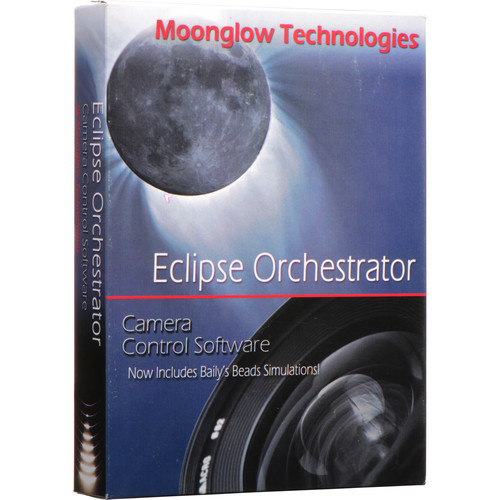
DayStar Filters Eclipse Orchestrator Pro 3.7 Camera Control Software (Boxed CD)
In Stock
SKU #
DAEOPRO
Mfr #
EOPRO
Manufacturer
DayStar Filters
Description
Keep your eyes on the skies with the Eclipse Orchestrator Pro 3.7 Camera Control Software from DayStar Filters. This helpful program ensures that you don't miss the solar eclipse, the transit of Mercury or Venus, or any other big astronomical event because you were too focused on getting the settings and composition just right on your Canon or Nikon DSLR. It takes care of this work for you, freeing you up to enjoy the experience fully.Using a USB or Firewire cable, connect your camera to a laptop running Windows XP, Vista, 7, 8, or 10. Enter your latitude and longitude coordinates, or connect an NMEA 0183-compatible GPS, and the software will automatically determine the local conditions and make calculations based on them. The program was first developed for the 2002 total solar eclipse, and since then, has been used around the world.Eclipse Orchestrator Pro features a script wizard that allows you to pre-program exposures, indicating when you would like each one to occur and which settings you would like selected for each. All actions of the camera can be timed to line up with specific phases of the event you're observing, so that all you need to do during the actual eclipse or transit is sit back, relax, and enjoy the show. All features of Orchestrator Pro are optional, so you can use the program for as much or as little as you would like.The software is delivered on a CD and shipped in a standard retail box, along with a USB installation memory stick and a license key.Script Wizard Allows you to pre-program exposures, indicating when you would like each one to occur and which settings you would like selected for eachSet shutter speed, ISO, aperture, file type, and qualityScripted shutter press control available via serial port cableAll actions of the camera can be timed to line up with specific phases of the event you're observingSoftware sends commands to camera through USB to select settings and capture images, which are saved to camera's memory cardAll features of Orchestrator Pro are optional, so you can use the program for as much or as little as you likeBenefit from script editing and customizationScriptable command linesIntervalometer function, including "ending at" time, can also be scriptedScripted playback of self-recorded .wav sound filesUpcoming script event displaySupport for "emergency" script, which can be executed easily to adapt to cloud openingsTime and Location Accuracy and Info Enter latitude and longitude coordinates or connect an NMEA 0183-compatible GPS, in order to enable the software to determine your precise location (within about 200 m), time (within about 0.5 sec), and other circumstances/conditionsFeatures satellite terrain map, umbral path (the path of the Moon's inner shadow across Earth's surface), and zones of longest durationAnimated umbral shadow with mouse-over duration infoMap, simulated view, and countdown in separate windows that can be resizedMain display screen can be customizedLocal circumstances tableRefraction, limb effects, and delta-T correction are supportedWith limb and refraction corrections enabled, and precise GPS coordinates and GPS time set at your observation site, contact time predictions should be accurate to within +/- 2 secUsing UTC event times also allows for extreme accuracyPredictions for previous eclipses were usually within 1 sec"Simulated second contact" optionManual entry or override of computed contact times if necessaryEasy adjustment of computer clock without GPSAdditional Features Neilsen-Kellerman Kestrel 4000 weather tracker support, allowing for scheduled memory downloads with required Kestrel Interface"View Exposure Sequence" option"View Log" optionLive View window with focus metric for Canon DSLRsCapture single exposure via settings dialogMirror lock-up support to reduce vibrationCamera "nicknaming" ID featureSetup and Support Using a USB or Firewire cable, connect your camera to a laptop running Microsoft Windows XP, Vista, 7, 8, or 10Support for up
Product Information
Availability:
In Stock