
- Products
-
Audio & Studio Equipment
See all
-
Cameras & Optics
See all
- Computers & Mobile Devices
- Drones & Aerial Imaging
-
Professional Video & AV
See all
- Security & Surveillance
- TVs & Entertainment
SubcategoriesSee all -
Audio & Studio Equipment
- About us
- Contact Us
- +1-888-219-0753
- Bulk Order

- Products
-
Audio & Studio Equipment
See all
-
Cameras & Optics
See all
- Computers & Mobile Devices
- Drones & Aerial Imaging
-
Professional Video & AV
See all
- Security & Surveillance
- TVs & Entertainment
SubcategoriesSee all -
Audio & Studio Equipment
- About us
- Contact Us
- +1-888-219-0753
- Bulk Order
HomeCatalogComputers & Mobile DevicesDrives & StorageOptical Media Drives & AccessoriesCorel Roxio Toast Titanium 20
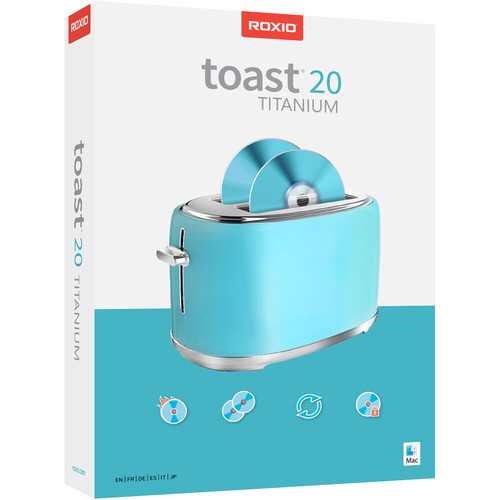
Corel Roxio Toast Titanium 20
In Stock
SKU #
CORTO20TIMML
Mfr #
ESDRTO20TIMACML
Manufacturer
Corel
Description
Optimized for macOS 13 Monterey, this version of Toast 20 Titanium from Roxio allows you to burn, copy, convert, capture, edit, and secure your digital media content on CDs, DVDs, and external devices. Features new to Toast 20 include a template designer, easy file conversion, audio tag editing, and workflow walkthroughs.From audio and video to still photos and more, Toast 20 Titanium can duplicate or transfer your desired content to designated drives. Toast 20 is useful in a pinch with its integrated file recovery, so you don't have to risk losing vital data. This recovery feature is designed to locate previously unreadable files from damaged discs and copies them onto a different disc, along with a list of unrecoverable files so you can see what needs to be recreated.Toast 20 Titanium can capture digital video, audio, and streams from external devices, discs, and the web. This software also has screen recording capabilities, which make it easier to document what is going on with your Mac's display. Toast 20 has built-in editing tools for modifying your videos as well as a MultiCam setup that allows you to work with multiple camera angles and splice them how you see fit. If you need to format a video or change it to another one completely, there are various formatting and conversion options. Additionally, with Roxio Akrilic, you'll be able to emphasize the most interesting features in your photos and customize them to match other creative styles.Toast 20 Titanium is designed to keep your files organized and secure. You can automatically catalog the contents of data discs as well as catalog and browse media files. When you want to burn data onto a disc or USB drive, you can encrypt the data with Roxio Secure Burn. Encryption options include bank-level AES 256-bit password protection. Manage your encryption and security settings Roxio Secure Burn menu, so you can be certain your data is secure on your Mac compatible system.Your CD & DVD Burner for Mac This complete digital media management suite with industry-leading burning tools makes it simple to work with your media.Optimized for macOS Monterey Toast is fully compatible with M1 machines and the latest macOS. Toast 20 supports macOS Ventura 13.3, macOS Monterey 12.0, macOS Big Sur 11.0, macOS Catalina 10.15, and macOS Mojave 10.14 (64-bit).What's New In Toast 20? Template Designer Easily create new DVD menu templates with a custom layout and personalize your backgrounds, buttons, music, and more. Easy File Conversion Convert your digital media files between popular formats more efficiently with the new simplified file conversion tool. Audio Tag Editing Enjoy enhancements to the audio disc creation workflow that enable you to add album art, artist information, and custom tags to your metadata. Workflow Walkthroughs Leverage new built-in help to view walkthroughs of the interface for any major workflow.Features Fueling This Digital Management Suite Burn Burn your photos, videos, audio and data files to CD and DVD with intuitive drag-and-drop controls. Plus, author DVDs with customizable menus, chapters, and music. Copy Copy CDs and DVDs in just a few clicks. Copy discs to distribute your latest audio mix, or create backups of your most important files. Even recover files from damaged discs. Convert Convert your media files from disc to digital or between popular digital formats with ease. Convert DVDs to digital, rip audio CDs to digital, and even restore and convert audio and video from LPs, tapes, and older devices. Capture Capture video and audio from virtually anywhere. Explore tools to record your screen, capture webcam video, and record voiceover simultaneously, which is perfect for creating tutorial or gaming videos. Edit Edit your photos, videos, and audio files before burning to disc or sharing online! Trim video clips, enhance audio recordings, and stylize or transform images into artwork with AI-powered tools. Secure Secure your information with banking-level encryp
Product Information
Availability:
In Stock