
- Products
-
Audio & Studio Equipment
See all
-
Cameras & Optics
See all
- Computers & Mobile Devices
- Drones & Aerial Imaging
-
Professional Video & AV
See all
- Security & Surveillance
- TVs & Entertainment
SubcategoriesSee all -
Audio & Studio Equipment
- About us
- Contact Us
- +1-888-219-0753
- Bulk Order

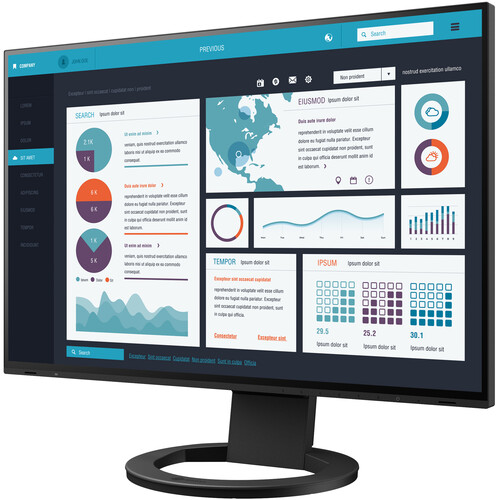
EIZO FlexScan EV2795FX-BK 27" 16:9 Docking IPS Monitor with FlexStand (Black)
In Stock
SKU #
EIEV2795FXBK
Mfr #
EV2795FX-BK
Manufacturer
EIZO
Description
The FlexScan EV2795FX-BK 27" 16:9 Docking IPS Monitor from EIZO is built to add ports and connectivity to your host system, as well as make it easy to connect when moving a laptop between workstations or working away from the office. Using its 5 Gb/s USB 3.1 Gen 1 Type-C input, which also supports DisplayPort via DP alt mode, up to 70W of power delivery, and 2-channel linear PCM audio from 32 to 192 kHz. All this means you'll be able to display video, play back audio, transmit data, and even transit a network signal, thanks to its integrated Gigabit Ethernet port. Other ports include an HDMI and DisplayPort input, both of which support audio, a USB 3.1 Gen 1 Type-B input, a USB 3.1 Gen 1 Type-C output, which also supports up to 15W of power, three USB 3.1 Gen 1 Type-A ports with up to 0.9A of power, and a 3.5mm headphone jack. Audio may also be output using the dual 1W speakers. The USB Type-C output on the FlexScan EV2795FX-BK also supports daisy chaining for easily connecting multiple monitors from a single video output. This lets you connect two screens and view multiple applications simultaneously for boosting efficiency. The USB Type-B and Type-C inputs support KVM functionality, allowing users to connect a single keyboard and mouse for up to two connected systems. Other notable features include Low Blue Light, Flicker-Free, and Auto Brightness Control with Auto EcoView. Technically, the FlexScan EV2795FX-BK has an anti-glare IPS (In-Plane Switching) panel, 8-bit support for 16.7 million colors, a widescreen 16:9 aspect ratio, a static contrast ratio of 1000:1, 350 cd/m2 brightness, 109 ppi, a 14 ms (GtG) response time, and a 5 ms (GtG) response time in overdrive. Using the 178 horizontal and vertical viewing angles, it is possible to watch content from virtually any position. It has been engineered to support the sRGB color gamut and to further help improve viewing and accessibility, it features a vertical tilt of -5 to 35 , a left/right swivel of 344 ( 172 ), a clockwise rotation of 180 ( 90 ), a height adjustment of 7", and a 100 x 100mm VESA mount. General FeaturesStreamlined with USB Type-C The monitor is equipped with a USB Type-C connection that allows you to display video, playback audio, transmit USB signals, supply power to connected devices, and even transmit a network signal. This convenient multi-purpose connectivity makes it faster and easier to connect your laptop when moving between workstations or working away from the office.Efficient Multi-Screen Setup The monitor's USB Type-C connection supports daisy chaining for easily connecting multiple monitors from a single video signal output. This allows you to effortlessly connect up to two screens and quickly view multiple applications simultaneously for boosting efficiency.70W of Power Delivery The 70W of power delivery via USB Type-C reliably charges small desktop computers or laptops such as a Microsoft Surface. This eliminates the need for a laptop's bulky power supply unit, freeing up space in your bag and on the desk.Stable Network Connection While many modern laptops are not equipped with a dedicated LAN port, the monitor has one directly built in for a stable wired connection. Connecting any laptop via USB Type-C allows access to the network through the monitor. This allows you to conduct conference calls or data transfers reliably and at high speed.Aesthetic Design A monitor's aesthetic can go a long way in creating a more comfortable atmosphere. The monitor's minimalistic design and its ergonomic functions allow it to fit naturally in your work environment, whether you are at home or in the office.Versatile Stand The stand has a wide adjustment range, featuring height adjustment, tilt, rotate, and swivel. This allows the user to set the monitor to the perfect position. At maximum height, the user can also comfortably place a small laptop under the screen to save space in even the most limited workspaces.Reduce Cable Clutter with Daisy Chain Cable ma
Product Information
Availability:
In Stock