
- Products
-
Audio & Studio Equipment
See all
-
Cameras & Optics
See all
- Computers & Mobile Devices
- Drones & Aerial Imaging
-
Professional Video & AV
See all
- Security & Surveillance
- TVs & Entertainment
SubcategoriesSee all -
Audio & Studio Equipment
- About us
- Contact Us
- +1-888-219-0753
- Bulk Order

- Products
-
Audio & Studio Equipment
See all
-
Cameras & Optics
See all
- Computers & Mobile Devices
- Drones & Aerial Imaging
-
Professional Video & AV
See all
- Security & Surveillance
- TVs & Entertainment
SubcategoriesSee all -
Audio & Studio Equipment
- About us
- Contact Us
- +1-888-219-0753
- Bulk Order
HomeCatalogComputers & Mobile DevicesSoftware & TutorialsPhoto & Web SoftwareFastRawViewer Software 2.0 (Download)
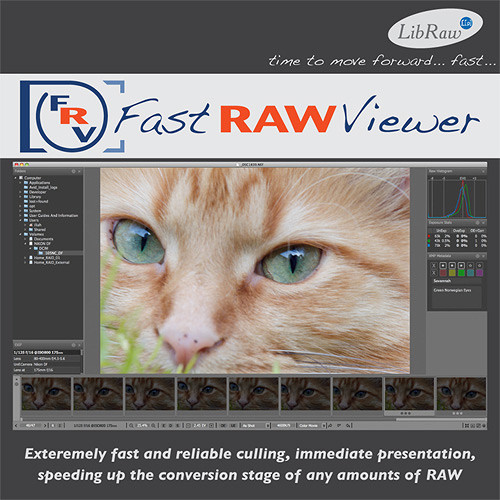
FastRawViewer Software 2.0 (Download)
In Stock
SKU #
FAFRV1BE
Mfr #
FRV2BE
Manufacturer
FastRawViewer
Description
Speed the conversion of all your RAW files with FastRawViewer 2.0 software from LibRaw LLC. This efficient workflow tool makes it possible to review and edit your RAW shots with confidence, because what you see is exactly what you got when shooting. The software's built-in ultrafast RAW converter provides an immediate display of non-adjusted RAW shots, as the camera captured them, both in full color and in a per-channel R/G/B view, which allows you to evaluate details and noise levels in each channel. Additional tools for technical evaluation, such as the RAW histogram, over- and under-exposure indication and statistics, focus peaking, and shadow boost, are also based directly on RAW data, not a JPEG preview. You can instantly apply RAW-specific modifications to the screen preview, allowing you to adjust a studio setup, or present targeted images to a client on the fly. When working with a large sequence of similar images, propagation adjustments made to a single file can quickly be applied to the entire group. All adjustments are non-destructive; the software does not modify image files in any way. Adjustments are recorded as XMP sidecar files to be picked up by Adobe Raw converters. The working environment can be fully customized, allowing you to tweak the metadata display, keyboard shortcuts, preferences and program windows to your liking. FastRawViewer supports nearly all RAW formats and more than 800 cameras, with frequent updates to support new DSLR and cell phone models. The software can read files from any media, from a flash card to a network server, without creating intermediate image databases, avoiding unnecessary delays and saving disk space. It works on a variety 32/64-bit Windows platforms and most Intel-based Macs with 64-bit support. This version of FastRawViewer is delivered as a download, and the license key can be installed on up to two computers simultaneously.Direct Visualization of RAW Files Evaluate the full dynamic range in your RAW image files as captured by your camera, instead of a compressed range as displayed by an in-camera (embedded) JPEG or JPEG preview generated with default settings. Very high (4-8 fps) RAW browsing speed for 16-24MP files on an average laptop. Provides instant display of RAW files, both in full color and as per channel R/G/B views, for evaluation of image details and noise levels in each channel. Supports most RAW file formats (except Sigma/Foveon), and more than 800 cameras, with frequent updates to support new cameras. Reads files from any media, from a flash card to a network server, without creating intermediate image databases, avoiding unnecessary delays and saving disk space.Image Adjustment Tools A wide range of image adjustment tools allow you to evaluate and adjust exposure based on the real RAW histogram. Over- and under-exposure indications and statistics allow for efficient review of clipped highlights and plugged shadows. Post-correction overexposure statistics display the number and percentage of over- and under-exposed pixels. Controls for Focus Peaking and Shadow Boost allow you to check in-focus edges and areas of high detail or open shadows to check for details and noise levels. Offers several methods for setting white balance: standard presets for As Shot/Auto/Daylight/Tungsten, custom white balance by clicking on a neutral image area, white balance display based on color temperature/tint value, mired/tint or per channel factors Mode for changing image orientation, useful for cameras lacking an orientation sensor, support for cameras modified to black-and-whiteNon-Destructive Photo Editing Image adjustments are non-destructive; FastRawViewer reads RAW files but does not modify them in any way. All adjustments are recorded as auxiliary (sidecar) files in a standard XMP format and picked by Adobe RAW converters from there. Instantly apply RAW-specific modifications to the screen preview, allowing you to adjust a studio setup, or present targeted images to a
Product Information
Availability:
In Stock