
- Products
-
Audio & Studio Equipment
See all
-
Cameras & Optics
See all
- Computers & Mobile Devices
- Drones & Aerial Imaging
-
Professional Video & AV
See all
- Security & Surveillance
- TVs & Entertainment
SubcategoriesSee all -
Audio & Studio Equipment
- About us
- Contact Us
- +1-888-219-0753
- Bulk Order

- Products
-
Audio & Studio Equipment
See all
-
Cameras & Optics
See all
- Computers & Mobile Devices
- Drones & Aerial Imaging
-
Professional Video & AV
See all
- Security & Surveillance
- TVs & Entertainment
SubcategoriesSee all -
Audio & Studio Equipment
- About us
- Contact Us
- +1-888-219-0753
- Bulk Order
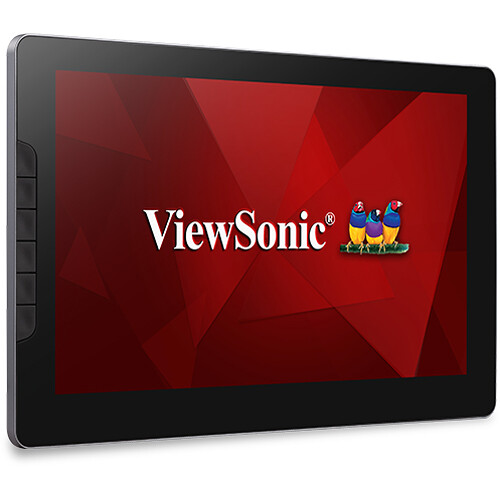
ViewSonic ID1330 ViewBoard Pen Display
In Stock
SKU #
VIID1330
Mfr #
ID1330
Manufacturer
ViewSonic
Description
Designed primarily as a teaching and productivity tool, the ViewSonic ID1330 ViewBoard Pen Display allows you to draw, sketch, and write in a natural way. This 13.3" color display features a large 11.6 x 6.5" active area with a 1920 x 1080 Full HD resolution that can be used as a virtual whiteboard or drawing pad using your fingers or pen. The included electromagnetic resonance (EMR) pen has a smooth 266 pps response rate and 8192 pressure sensitivity levels that allow you to press harder for thick, dark lines like you would with a pen and paper. Additionally, the pen doesn't require batteries to operate and the touchscreen display is designed to only detect the included pen, which means you don't have to worry about your palm or wrist causing errors while you write or sketch. Connect the ID1330 to your compatible computer using the mini-HDMI and USB Type-C ports. Or you can reduce desktop clutter by transferring video, data, and power through a single USB Type-C cable with compatible systems. The ViewSonic ID1330 ViewBoard Pen Display works with Windows 7 and macOS 10.4 or later along with Chrome OS.Accurate Writing The included EMR pen features 8192 levels of pressure sensitivity, a 60-degree tilt, and 266 pps response rate for a smooth and accurate experience when drawing diagrams and making handwritten notes.Portable Design Weight just under 2 lb and measuring 0.3" thick, you can quickly pack the ViewSonic ID1330 ViewBoard Pen Display into a bag, backpack, or briefcase for easy travel.myViewBoard Compatible This interactive display works with the myViewBoard software to provide natural writing, drawing, and annotating for an interactive whiteboarding experience, no matter where you're teaching from. It's also compatible with PowerPoint, Illustrator, Photoshop, and more.Second Screen Experience Enhance your workflow by using extending or mirroring your main display with the ID1330 as a second screen. With its 800:1 static contrast ratio, 300 cd/m brightness, 262,000 color support, and 178 horizontal and vertical viewing angles, you can clearly see the screen from almost any position.Customize Your Workflow Use the six programmable buttons to create shortcuts for frequently used actions.Connectivity ViewSonic ID1330 ViewBoard Pen Display includes a mini-HDMI video connector. Connect your computer to either of the USB Type-C ports to power the display and enable its writing capabilities. Alternatively, you can transfer video, power, and data over a single USB Type-C cable with compatible laptops. Basic annotation can be achieved without installing a device driver, but one is available for advanced features and customized settings.
Product Information
Availability:
In Stock