
- Products
-
Audio & Studio Equipment
See all
-
Cameras & Optics
See all
- Computers & Mobile Devices
- Drones & Aerial Imaging
-
Professional Video & AV
See all
- Security & Surveillance
- TVs & Entertainment
SubcategoriesSee all -
Audio & Studio Equipment
- About us
- Contact Us
- +1-888-219-0753
- Bulk Order

- Products
-
Audio & Studio Equipment
See all
-
Cameras & Optics
See all
- Computers & Mobile Devices
- Drones & Aerial Imaging
-
Professional Video & AV
See all
- Security & Surveillance
- TVs & Entertainment
SubcategoriesSee all -
Audio & Studio Equipment
- About us
- Contact Us
- +1-888-219-0753
- Bulk Order
HomeCatalogProfessional Video & AVMultimedia Projector AccessoriesWireless Presentation ComponentsKLIK KLIKBoks Hub Wireless Conferencing Presentation & Collaboration System
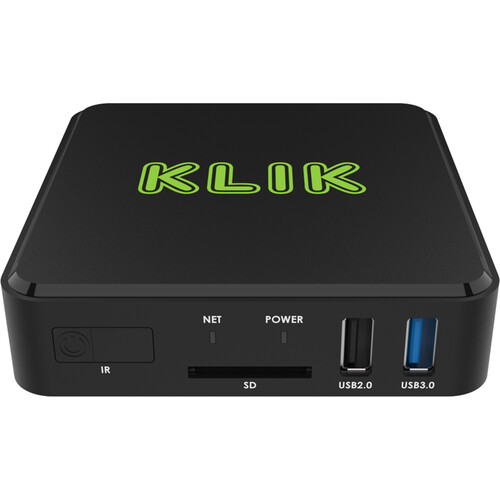
KLIK KLIKBoks Hub Wireless Conferencing Presentation & Collaboration System
In Stock
SKU #
KLKB1200
Mfr #
KB1200
Manufacturer
KLIK
Description
The KLIKBoks HUB Wireless Conferencing, Presentation & Collaboration System from KLIK is a location-independent interactive conferencing hub system optimized for touch displays. It offers UHD 4K multi-screen sharing with the option to display up to four HD streams simultaneously and with full-screen mirroring and annotation functionality. Ethernet and Wi-Fi network connectivity allows the unit to extend beyond the boundaries of your network with support for up to 64 simultaneous client connections with ample processing power to deliver vibrant 4K images.None The KLIKBoks HUB Wireless Conferencing, Presentation & Collaboration System from KLIK is a location-independent interactive conferencing hub system optimized for touch displays. It offers UHD 4K multi-screen sharing with the option to display up to four HD streams simultaneously and with full-screen mirroring and annotation functionality. Ethernet and Wi-Fi network connectivity allows the unit to extend beyond the boundaries of your network with support for up to 64 simultaneous client connections with ample processing power to deliver vibrant 4K images.None Touch or click to instantly take any stream full screen, then return to the split-screen view and enable another stream. An all-new hardware platform assures ample processing power to deliver crystal-clear 4K performance that supports four simultaneous 1080p content streams from computers, tablets, and smartphones, even without installing an app. The HUB integrates with your wired or wireless infrastructure and even supports guest users by making its own hotspot if needed.Designed with remote users in mind, the HUB delivers industry-first remote streaming capability, allowing for real-time streaming to YouTube, with additional services coming soon. Allow your team to view the presentation in private, or open the stream to the public, with support for both modes of operation. Once your live stream is finished, your presentation is available as a recording that can be reviewed at a later time or downloaded right from YouTube.Split-Screen Display Display up to four streams simultaneously on the screen with UHD 4K UHD output. Just start a new stream, and the screen splits automatically to accommodate it, side-by-side with the first stream. Instantly maximize and zoom in for a closer look, then place it back in the split-screen view for comparison with other content. This is a whole new way to collaborate and share content.Annotation & Whiteboarding Draw, sketch, type, over shared content either in split-screen or full-screen view with the HUB's built-in annotation tools, no computer required. Or switch to white, green, or even graph-board mode to start collaborating on a clean sheet.Live Stream to YouTube Take your content beyond the confines of the network, and stream the session to remote participants, anywhere in the world. The HUB's unique live streaming feature can push content to your YouTube channel, for real-time viewing by remote members of your team. Set the stream as Public, Private, or Unlisted, to manage who can access the content. Record the session automatically, right on your YouTube channel for archiving or for later review.KLIKStream Support It's not always easy to see the screen, especially in a big classroom or conference room, so KLIK includes the KLIKStream remote viewing feature. Simply launch a browser and view the presentation, right on your own computer, tablet, or smartphone screen. And forget note-taking, because KLIKStream allows you to capture and save images of the presentation for later review.USB Touch-Back (HID) The best way to move your presentation along is by using a wireless presentation remote, and KLIK makes it easier than ever to share a remote among presenters. Simply plug the remote, or any keyboard, mouse, or pointing device into the KLIK, and it will control the computer that is streaming to it. The USB remote feature enables touchscreen support at the same time as remote contro
Product Information
Availability:
In Stock