
- Products
-
Audio & Studio Equipment
See all
-
Cameras & Optics
See all
- Computers & Mobile Devices
- Drones & Aerial Imaging
-
Professional Video & AV
See all
- Security & Surveillance
- TVs & Entertainment
SubcategoriesSee all -
Audio & Studio Equipment
- About us
- Contact Us
- +1-888-219-0753
- Bulk Order

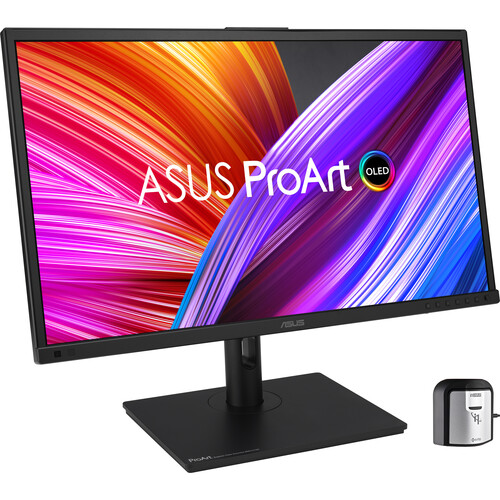
ASUS ProArt Display OLED PA27DCE-K 26.9" 4K HDR Monitor with Color Calibrator
In Stock
SKU #
ASPA27DCEK
Mfr #
PA27DCE-K
Manufacturer
ASUS
Description
Streamline your professional photography, video editing, and color workflow with the ASUS ProArt Display OLED PA27DCE-K 26.9" 4K HDR Monitor. Designed to deliver exceptional 10-bit color, this Calman-ready 3840 x 2160 resolution 4K UHD monitor's OLED panel is factory calibrated for E You can connect this monitor to your system using the DisplayPort and HDMI ports or use the USB-C connector to transfer video, data, and up to 80W of power over a single cable with compatible laptops. A 3-port USB 3.2 Gen 1 hub allows you to quickly connect 5 Gb/s compatible storage drives and other peripherals to your system through the monitor.OLED Panel with RGB Stripes The 26.9" pure RGB stripe OLED panel features self-illuminating pixels that deliver up to 1.07 billion colors, covering 99% of the DCI-P3 and Adobe RGB gamut. It also has a 0.1 ms GtG response time with a 1 million:1 static contrast ratio and 350 nits peak brightness in HDR mode for true blacks and bright highlights.ProArt Color Center ProArt Color Center offers remote group control and calibration tools, allowing you to handle these vital tasks from a centralized location. You'll be able to remote control & group calibration, scheduled calibration, and customized color parameters to maintain professional-level accuracy and consistency all the time.ProArt Calibration ASUS ProArt Calibration technology saves all color parameter profiles on the ProArt monitor's internal scaler IC chip, instead of on the PC. The monitor can be calibrated and the look-up table subsequently rewritten, allowing users to connect it to devices with different operating systems or applications without needing to adjust settings.Seamless Calibration In addition to including an X-rite i1 Display Pro color calibrator, ProArt displays are compatible with most major calibrator brands such as Datacolor and Klein. They also work with Calman and Light Illusion ColourSpace CMS professional hardware calibration software.Uniform Brightness A built-in Auto Brightness Limiter (ABL) feature maximizes power use when displaying a white or bright image in a particular window. The display automatically dims the image as the window size increases. Additionally, the optional Uniform Brightness function in the OSD menu is useful for switching between or changing the size of windows with vastly different contrast levels by keeping brightness levels consistent for comfortable viewing and accurate colors, even after hours of use.ASUS Smart HDR Technology The ProArt Display OLED PA27DCE-K supports multiple HDR formats, including HLG and HDR10. HLG allows users to view and create material for broadcast and satellite TV platforms such as BBC iPlayer, Japan NHK TV, and DirecTV. HDR10 support ensures compatibility with a multitude of streaming video services and HDR-enabled games.Multiple PQ Curves ASUS ProArt Displays support multiple HDR10 curves, including PQ Hard Clip, PQ Optimized, and PQ Basic to fit your specific needs.HDR Preview HDR Preview enables a direct camera-to-monitor connection to view captured HDR content with its full tonal range. It also works within most video editing software platforms, providing a streamlined editing experience with accurate simulations of the final output.Connected Workflow The ProArt Display OLED PA27DCE-K includes three HDMI 2.0 ports alongside a DisplayPort 1.4 input and a fully functional USB-C port that can transfer video, data, and up to 80W of power over a single cable with compatible laptops. Two USB-A 3.2 Gen 1 ports and a USB-C port can each transfer up to 5 Gb/s to your system with compatible devices.Integrated Speakers Watch videos while avoiding desktop clutter with the built-in 3W stereo speaker system. A 3.5mm headphone jack is also available for listening privacy.Ergonomic Design Use the included ergonomic stand to rotate the display 90 in either direction to view documents in portrait mode. You can also adjust the height, tilt, and swivel to match your comfort. Using the 100 x
Product Information
Availability:
In Stock