
- Products
-
Audio & Studio Equipment
See all
-
Cameras & Optics
See all
- Computers & Mobile Devices
- Drones & Aerial Imaging
-
Professional Video & AV
See all
- Security & Surveillance
- TVs & Entertainment
SubcategoriesSee all -
Audio & Studio Equipment
- About us
- Contact Us
- +1-888-219-0753
- Bulk Order

- Products
-
Audio & Studio Equipment
See all
-
Cameras & Optics
See all
- Computers & Mobile Devices
- Drones & Aerial Imaging
-
Professional Video & AV
See all
- Security & Surveillance
- TVs & Entertainment
SubcategoriesSee all -
Audio & Studio Equipment
- About us
- Contact Us
- +1-888-219-0753
- Bulk Order
HomeCatalogAudio & Studio EquipmentStudio RecordingAll Computer AudioSound Particles Panner Collection Plug-In Bundle
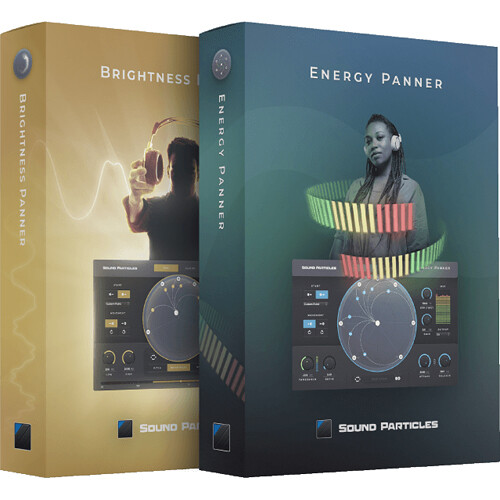
Sound Particles Panner Collection Plug-In Bundle
In Stock
SKU #
SOPANCOLLECT
Mfr #
PANNER COLLECTION
Manufacturer
Sound Particles
Description
Delivering two innovative and intuitive panning plug-ins, the Panner Collection from Sound Particles combines the Brightness Panner and the Energy Panner plug-ins into one convenient package. Use the brightness, pitch, and MIDI information or the intensity of sounds to engage creative and dynamic panning movements in stereo, surround, or immersive 3D audio formats for a truly unique approach to sound design and music production.Stereo, Immersive, and Binaural Outputs From stereo, 7.1, and HOA to Binaural and Dolby Atmos, Energy Panner gives you several output options based on virtual microphone technology:Stereo: a stereo render mode of gains based in the channel particle positionStereo (XY): a stereo render mode with a virtual X/Y microphoneStereo (MS): a stereo render mode with a virtual M/S (mid/side) microphoneStereo (Blumlein): a stereo render mode with a virtual Blumlein microphoneBinaural: a binaural render based on the SADIE MINP KU100 datasetAmbisonics (ACN/SN3D): an ambisonics render based on the ambisonics input5.0: a 5.0 VBAP multichannel render5.1: a 5.1 VBAP multichannel render7.0: a 7.0 VBAP multichannel render7.1: a 7.1 VBAP multichannel render7.0.2: a 7.1.2 VBAP multichannel render7.1.2: a 7.1.2 VBAP multichannel renderDynamic Movement Easily set how the sounds will move. For instance, will they move from the speakers position to the center, or will they move clockwise starting from a custom position? The choice is up to you.Side Chain Use external signals to control the effect of the plug-in instead of using the track's sound for this.Visualization Dome Track every single movement the sounds are making through the main component of the plug-in's UI: the dome. Watch as visualizer particles follow your preset paths or their own based on the sound intensity.Randomization Running out of ideas? Don't worry. The Energy Panner has a randomize option that outputs a new result each time you click it.Panning Mode The Pan mode is essentially normal end-to-end particle-based panning. This type of panning effect changes the position of the sound source between two points (start point to end point) previously defined by you. Therefore, the greater the energy of the input signal the greater the shift from the starting point to the end point.Sliding Mode Whenever the audio signal reaches a certain level (threshold value), the sound source moves on a trajectory that you define. As opposed to pan mode, the sound source does not return to the starting point as soon as the signal level drops. The sound source will freeze that position until the audio signal exceeds the threshold value again, leading to a new shift of the sound source in the dome space.
Product Information
Availability:
In Stock