
- Products
-
Audio & Studio Equipment
See all
-
Cameras & Optics
See all
- Computers & Mobile Devices
- Drones & Aerial Imaging
-
Professional Video & AV
See all
- Security & Surveillance
- TVs & Entertainment
SubcategoriesSee all -
Audio & Studio Equipment
- About us
- Contact Us
- +1-888-219-0753
- Bulk Order

- Products
-
Audio & Studio Equipment
See all
-
Cameras & Optics
See all
- Computers & Mobile Devices
- Drones & Aerial Imaging
-
Professional Video & AV
See all
- Security & Surveillance
- TVs & Entertainment
SubcategoriesSee all -
Audio & Studio Equipment
- About us
- Contact Us
- +1-888-219-0753
- Bulk Order
HomeCatalogComputers & Mobile DevicesSoftware & TutorialsPhoto & Web SoftwareHDRsoft Photomatix Pro 7.0 (Download)
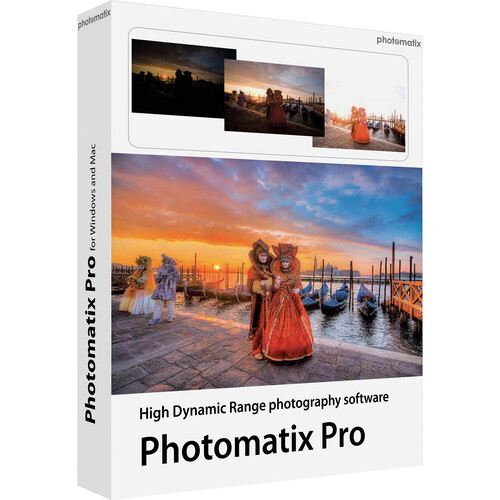
HDRsoft Photomatix Pro 7.0 (Download)
In Stock
SKU #
HDPMP6WM
Mfr #
PMP6WM
Manufacturer
HDRsoft
Description
A well-rounded solution for producing high dynamic range imagery, Photomatix Pro 7.0 from HDRsoft offers enhanced control and configurability for processing photos and achieving an extended tonal range. This version 6.0 of the software brings updated functions to help achieve more natural results to suit landscape and real estate applications, such as a Tone Balancer rendering method and selective blending tools for balancing tonal values. An interactive brush tool enables making selective image adjustments, too, for brightness, saturation, and color, and straightening and perspective distortion tools are also available to align horizons and vertical lines within a scene. Additionally, an updated workflow also makes the image selection and file import process easier and faster. In addition to the version 7.0 updates, Photomatix Pro retains the same feature-set as previous versions, including the ability to automatically produce HDR images from bracketed sets of files as well as from single raw files. User-customized presets can be used to fine-tune the look of imagery, and batch process controls benefit working with large groups of images. Additionally, included with the standalone application is a dedicated plug-in for Adobe Photoshop Lightroom, which allows you to utilizes Lightroom's interface for selecting and navigating your existing library of images in order to import directly into Photomatix Pro.Version 7.0 Designed for more natural results, the Tone Balancer HDR rendering method is well-suited to real estate and landscape applications. An interactive brush tool affords more control over how portions of your images look. Selective color changes can be made by painting over portions of an image, and color casts can be removed, skies can be enhanced, and additional image features can be adjusted, such as saturation, hue, brightness, and individual color brightness. To achieve a more realistic look, your original photos can be blended with the rendered HDR image. A brush can be used for selective blending from a single original photo or from a bracketed set of images. Ideal for landscape and architectural photos, straightening and perspective distortion controls are available to align horizons and other horizontal lines as well as reduce keystoning and straighten verticals. An updated workflow is more intuitive for editing both single images as well as bracketed sets of photos, and allows for easier selection and loading of individual files.Merge Bracketed Photos Photomatix Pro works with photographs of the same scene taken under different exposure settings. These differently exposed images of the same scene are often called "bracketed" images in reference to the auto-bracketing exposure functions available on many camera models. Photomatix Pro can combine these bracketed images to create one high dynamic range (HDR) image with correctly-exposed highlights, mid-tones, and shadows.HDR Tone Mapping with Details Enhancer The HDR effect can be fine-tuned with regard to the strength of contrast and detail, color saturation, dynamic range, contrast in details, lighting adjustments and effects, contrast in highlights, white point, black point, gamma, and color temperature. Version 7 adds the option to save HDR images in DNG format, including 32-bit DNG for the merged HDR image. This added function makes it easy to edit HDR images further in Photoshop or other photo editing apps.Advanced Details Enhancer Settings The appearance of small details, saturation in highlights, saturation in shadows, contrast in shadows, and shadow clipping can be adjusted while the removal of seams in a 360 stitched panoramic image can also be performed.HDR Tone Mapping with Contrast Optimizer This tool also allows the user to fine-tune contrast and detail strength, shadow clipping, color saturation, and color temperature, as well as the dynamic range. Through this tool, seams in a 360 panoramic image can also be removed. Additionally, the prominence o
Product Information
Availability:
In Stock