
- Products
-
Audio & Studio Equipment
See all
-
Cameras & Optics
See all
- Computers & Mobile Devices
- Drones & Aerial Imaging
-
Professional Video & AV
See all
- Security & Surveillance
- TVs & Entertainment
SubcategoriesSee all -
Audio & Studio Equipment
- About us
- Contact Us
- +1-888-219-0753
- Bulk Order

- Products
-
Audio & Studio Equipment
See all
-
Cameras & Optics
See all
- Computers & Mobile Devices
- Drones & Aerial Imaging
-
Professional Video & AV
See all
- Security & Surveillance
- TVs & Entertainment
SubcategoriesSee all -
Audio & Studio Equipment
- About us
- Contact Us
- +1-888-219-0753
- Bulk Order
HomeCatalogAudio & Studio EquipmentStudio RecordingAll Computer AudioProAudioEXP Presonus Studio One 5 Video Training Course
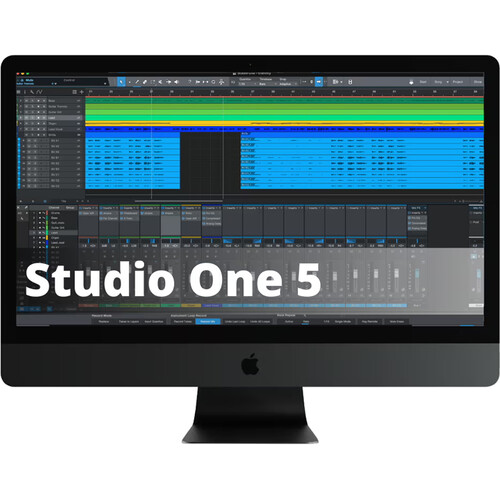
ProAudioEXP Presonus Studio One 5 Video Training Course
In Stock
SKU #
PRPRESONST15
Mfr #
PRESONUS-STUDIO-ONE-5
Manufacturer
ProAudioEXP
Description
The Presonus Studio One 5 Video Training Course from Kingsley Knight, with over 4 hours of video material, instructor David Wills calls upon his 30 years of experience to walk you through every feature of PreSonus's Studio One workflow from setting up your software to work with your audio interface and MIDI controllers to create radio-ready mixes and everything in between. This training course helps you to get the most out of your Presonus Studio One, instead of relying on only the user manual. The coursework includes DAWs 101, which uses animations to teach you how a DAW works and how to use subgroups, EQ, compression, effects, automation.Introduction WelcomeDifferences between Studio One versionsOverviewSong/project/showTypes of tracksTrack listInspectorBrowserHelp systemToolbarMixerEditorDAWs 101 What is a DAW?What do DAWs do?Do they replace a recording studio?Types of tracksMIDI tracksAudio tracksTypes of editingMixersEffects routingAutomationMixing downSetting Up Audio interface settingsNaming inputsLatencyMIDI controller setupKeyboard shortcutsRecording file typesRecording Creating a new songCreating a new trackTypes of tracksProject templatesSetting your inputRecording levelsRecording an audio trackRecord modeLoop recordingRecording comped tracksUsing instrumentsSelecting patchesExternal instrumentsRecording MIDI tracksStep recordingRetrospective recordingRecord quantizeChase MIDI notesInstrument loop recordTakes/tracks and layersVariationsTrack foldersPunching InNote eraseNote FXArpeggiatorChorderInput filterRepeaterNote repeatUsing loopsUsing impactRecording drums manuallyRecording patternsReview of recording workflowUsing remote app for recordingEditing Overview of editingUsing markersHandy keyboard shortcutsSetting up transport shortcutsUsing arrangementsUsing scratch padsUsing chordsEditing tempo and time signaturesInsert silenceComped tracks editingEditing toolsSlicing audioStrip silence from audio regionAudio bendPitch editing with melodyneQuantizingGroove tracksEditing MIDI tracksAdjusting velocityConverting MIDI to audioConverting audio to MIDISaving tracks/mixer settings to browser filesMixing Setting up audio interface for mixingMixer overviewGrouping channelsTemp groupingAux sendsUsing plug-insEditing plug-insTransform or freezing tracksUsing FX chains to pre populate mixerUsing remote app for mixingAutomating your mixProjects & Shows Creating a new projectAdding songs to a projectEditing songsCreating fadeoutAdding mastering effectsSetting loudnessMetadataBatch exporting songsCreating showsCreating setlists and playersCustomizing the show screenGraduation
Product Information
Availability:
In Stock