
- Products
-
Audio & Studio Equipment
See all
-
Cameras & Optics
See all
- Computers & Mobile Devices
- Drones & Aerial Imaging
-
Professional Video & AV
See all
- Security & Surveillance
- TVs & Entertainment
SubcategoriesSee all -
Audio & Studio Equipment
- About us
- Contact Us
- +1-888-219-0753
- Bulk Order

- Products
-
Audio & Studio Equipment
See all
-
Cameras & Optics
See all
- Computers & Mobile Devices
- Drones & Aerial Imaging
-
Professional Video & AV
See all
- Security & Surveillance
- TVs & Entertainment
SubcategoriesSee all -
Audio & Studio Equipment
- About us
- Contact Us
- +1-888-219-0753
- Bulk Order
HomeCatalogComputers & Mobile DevicesSoftware & TutorialsPhoto & Web SoftwareCorel Painter 2023 (Box with Download Code)
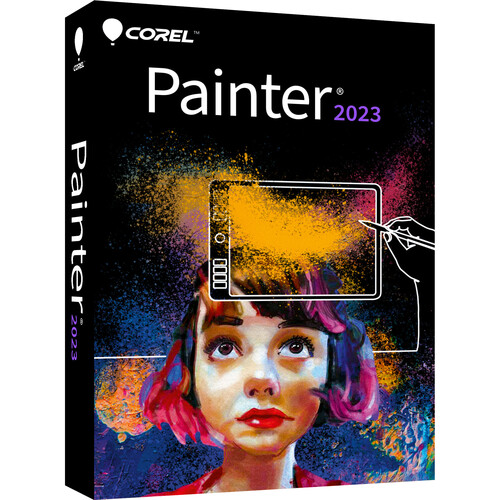
Corel Painter 2023 (Box with Download Code)
In Stock
SKU #
COPTR2023ML
Mfr #
PTR2023MLDPAM
Manufacturer
Corel
Description
Corel Painter 2023 is a professional digital painting software for Windows and Mac. Sketch, paint, illustrate, and produce photo-art with hundreds of realistic, artist-created brushes, superior blending, and an array of versatile art tools. Start with a blank canvas or stylize any image or photo. Jumpstart the photo painting process using artificial intelligence, and easily transform photos into paintings with powerful auto-painting and cloning tools. Painter 2023 allows you to bring ideas to life for published materials, fantasy art, films, games, and manufacturing. Painter also supports drawing tablets for a more natural painting experience. And it preserves file content when transferring files between Photoshop and Painter.New Features Fluid: Build and Sculpt brushes Fluid: Paint and Blend brushes Paint Opacity controls in property bar Fluid Papers Color Selection control for Selection brushes Color Selection brushes Overlay mode for selections Overlay presets Selection panel Opacity Threshold for Marquee (Improved) Feather Selection up to 2000px (Improved) Cursors for Polygon and Lasso select tools Brushes Acrylics Airbrushes Blenders Calligraphy Chalks Charcoal Cloners Clone Tinting Conte Erasers F-X Gouache Glazing Image Hose Impasto Inks Liquify Markers Oils Oils: Bravura Pastels Palette Knives Particles Pattern Pens Pens Pencils Sargent Selection brushes Smart Strokes Stamps Sponges Sumi-e Sumi-e: Watercolor Texture Brushes Thick Paint Thick Paint Compatible Watercolors Color Tools Color harmonies Color ramps in sliders Color mixer Color wheel Color sets Color picker Gradients Photo Art Tools Artificial intelligence styles AI presets Clone Tinting Quick Clone Cloning with image, texture, or pattern Multiple clone sources Resize clone sources Transparency cloning support Smart Stroke auto painting Tracing paper Photo restoration User Interface Brush filters Brush favorites Brush size library Photo art quick palette Thick Paint layer controls Watercolor layer controls Layer compatibility icons Full View and Narrow brush selector panels Inline dab and stroke previews Advanced brush controls Dark user interface 650+ redesigned application icons Brush hints Customizable palettes Artist layouts Context sensitive property bars Visual tooltips Command Bar Customizable workspaces and layouts Customizable keyboard shortcuts Reference Image Image Navigator Clone Source Palette Layers Lock, move, and convert multiple layers Color Dodge blend mode Color Burn blend mode Spotlight layer Clear layer content with Delete Layer blend modes Group, collapse layers Pick up underlying color Preserve transparency Layer opacity Layer masks Convert layer to Thick Paint or Watercolor layers Lift canvas to Watercolor or Thick Paint layer Tools & Effects Grayscale in Navigator Layer adjuster Drag to zoom Fill tool Transform Selection tool and brush Customizable papers and flow maps Flip and rotate canvas Interactive brush editing Perspective guides Divine Proportion Layout grid Paint with Symmetry Vector shapes Text Rulers Surface lighting and texture Apply effects Texture synthesis Interactive Gradient tool and Express Painting Performance GPU, CPU, and NEON acceleration for Fluid Paint Enhanced cover methods Improved edge quality (circular and captured dab brushes) Enhanced brush smoothing GPU acceleration for new and enhanced cover methods Enhanced performance of erasers and other brush engines Enhanced Impasto brushes Brush Accelerator GPU acceleration for stamp brushes Improved Drip & Liquid (Sargent) brush technologies Faster brush and tool switching Texture brush technologies Improved document manipulation Improved pan, zoom, and rotate speed Support & Compatibility Apple M1 support Apple Sidecar support Apple Pencil support Apple Touch Bar support Apple Trackpad two-finger gesture support Multi-core support Wintab and RTS support Windows touch support Adobe Photoshop support (PSD) Color management support 2-in-1 or dual personality 64-bit
Product Information
Availability:
In Stock