
- Products
-
Audio & Studio Equipment
See all
-
Cameras & Optics
See all
- Computers & Mobile Devices
- Drones & Aerial Imaging
-
Professional Video & AV
See all
- Security & Surveillance
- TVs & Entertainment
SubcategoriesSee all -
Audio & Studio Equipment
- About us
- Contact Us
- +1-888-219-0753
- Bulk Order

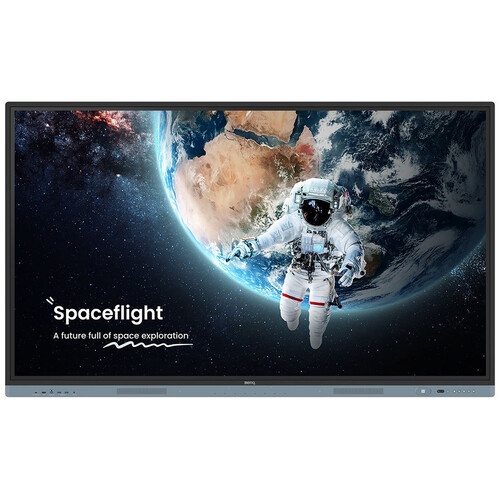
BenQ Board Essential RE04 Series 86" UHD 4K Touchscreen Commercial Monitor with 5-Year Warranty
In Stock
SKU #
BERE86045
Mfr #
RE86045 (5 YEAR)
Manufacturer
BenQ
Description
Get the tools you need for effective interactive education with the BenQ Board Essential RE04 Series 86" UHD 4K Touchscreen Commercial Monitor. The RE86045 is a 450 nits bright display powered by Android 13 OS which comes loaded with built-in access to Google apps and services.Designed for classrooms, it features up to 40 touch points for multiple users at the same time. The IR touch on zero-gap bonded glass provides a smooth and accurate interactive experience. Connect a wide variety of devices via HDMI, DisplayPort, VGA, USB-C, or wireless screenshare and annotate freely with the included EZWrite whiteboard software. For your convenience, the RE86045 comes with a five-year manufacturer warranty instead of the standard three.Google EDLA Certified Enhance your lessons with interactive educational apps from Google Play. The RE04 comes with Google Core Services such as Google Drive and Meet. Fully utilize Google Docs, Sheets, and Slides on a large touchscreen display. Open files from your Google Drive to teach with material you've prepared beforehand and save them right back onto the cloud so you can always have access to the latest files. Additionally, Google's security features on your RE04 prevent data leaks, phishing, malware, and data loss.EZWrite 6 Whiteboard Software Enhance your lessons using EZWrite, a powerful whiteboard that s packed with classroom tools you can use for more engaging face-to-face or hybrid classes. EZWrite is an interactive canvas that makes lessons more immersive and engaging for the whole class.Use the whiteboard to develop ideas together for any subject, using any device, and from any location. Open PowerPoint, Word, Excel, and PDF files to teach with and make notes on during class. When you re done, save the lesson as an editable whiteboard file to pick up where you left off or as a PDF for students to review at home.Cloud whiteboarding lets students join the session from their seats or even from home. Remote students can use the whiteboard as if they were right on the display.Google AI Tools for More Inclusive Lessons Hear text as it is displayed or written on screen with Text-to-Speech. Multilingual translation allows you to translate text in numerous languages for more context-rich lessons. With Optical Character Recognition (OCR) you can easily edit text from photos and scanned pages.Your Own Space and Data Create separate and secure user accounts, allowing you to have your own teaching space while preventing others from accessing your data. You can change the layout of your Home screen by moving apps, putting them in folders, or dragging them to a new page. Look up information and access lesson materials in an instant without having to open the browser. Add widgets to display the information that matters most to you and your students, like sticky notes, the calendar, or weather reports.InstaShare 2 Screen Share Wirelessly share content onto the RE04 from anywhere in the room. Cast lesson materials from your laptop or let multiple students share their screens with InstaShare 2. Control your device from the board, share multiple screens simultaneously, and cast the board to connected devices.InstaShare 2 does more than screen sharing. You can also cast photos, videos, or your live camera feed for more dynamic presentations and discussions. Even with multiple students sharing, it s easy to take control of the session on InstaShare 2. You can select which screens to show or hide, decline sharing requests, and even block inappropriate content with AI.Effortless Management BenQ s device and user management platforms allow IT staff to maintain their BenQ Boards without added complexity. BenQ helps significantly reduce their workload so they can focus on other tasks. Expedite user list management by syncing your BenQ Board user account list with your existing lists on Google Workspace, Microsoft Entra ID (formerly Azure Active Directory), ClassLink, LDAP, or other SAML-based identity provider.You can
Product Information
Availability:
In Stock