
- Products
-
Audio & Studio Equipment
See all
-
Cameras & Optics
See all
- Computers & Mobile Devices
- Drones & Aerial Imaging
-
Professional Video & AV
See all
- Security & Surveillance
- TVs & Entertainment
SubcategoriesSee all -
Audio & Studio Equipment
- About us
- Contact Us
- +1-888-219-0753
- Bulk Order

- Products
-
Audio & Studio Equipment
See all
-
Cameras & Optics
See all
- Computers & Mobile Devices
- Drones & Aerial Imaging
-
Professional Video & AV
See all
- Security & Surveillance
- TVs & Entertainment
SubcategoriesSee all -
Audio & Studio Equipment
- About us
- Contact Us
- +1-888-219-0753
- Bulk Order
HomeCatalogComputers & Mobile DevicesDrives & StorageOptical Media Drives & AccessoriesRoxio Easy CD & DVD Burning 2 (Boxed)
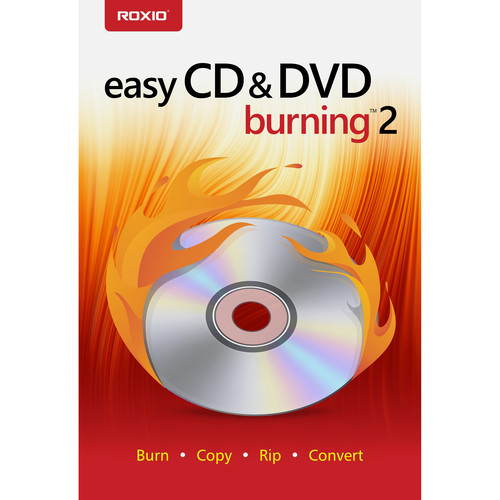
Roxio Easy CD & DVD Burning 2 (Boxed)
In Stock
SKU #
ROECDB2MLMBA
Mfr #
RECDB2MLMBAM
Manufacturer
Roxio
Description
Compatible with Windows 10, 8.x, and 7 SP1, this boxed version of Easy CD & DVD Burning 2 from Roxio lets you drag and drop photo, video, audio, and other data directly from your system's desktop and into the software's authoring interface. You'll be able to create data, audio, photo, or video discs, back up or archive your files across multiple discs, create and burn ISO image files, and erase or finalize discs. Supported discs include CD, DVD, and Blu-ray media. Please note that AVCHD with AC-3 audio requires Windows 10. Also, burning Blu-ray media requires the purchase of a separate Blu-ray plug-in from within the product. General FeaturesThe Industry Standard for Burning Drag and drop directly from your desktop and easily copy or burn CDs and DVDs Create data, audio, photo, or video discs with ease Back up or archive your files across multiple discs Burn your photos to disc Create and burn ISO image files Easily erase discs or finalize discsCreate Audio CDs Copy and convert audio to your preferred format and play back on your PC, smartphone, or favorite device (does not copy or convert copy protected material) Digitize LPs and cassettes Rip CDs and capture audio Edit audio, song information, and create custom music CDs Automatically add artist metadata and album artwork with built-in Gracenote technology Record voiceover and capture videoAuthor DVDs Turn your videos into professional-looking discs with Roxio MyDVD Add customizable DVD menus and chapters to your videos Quickly trim videos Choose from 20 themed menu templates and personalize with a custom background image and music Combine multiple videos on one disc and play back on your home DVD playerTouch Up Your Media Rotate and crop photos Create video slideshows Enhance sound and add effects Create personalized disc labelsCopy & Convert Media Digitize audio from LPs and cassettes Edit and convert audio and photos Convert video to popular formats Batch convert filesNavigate Burn CDs and DVDs with simple drag and drop burningBurn Access all the tools you need to burn, copy, or convert your files in an easy to navigate user interfaceCopy Copy non-copyrighted discs and schedule long conversion projects to run overnightRip Rip audio CDs or DVDs to digital files and save then on your system or export them to view on your preferred deviceAuthor Burn to disc and add customizable DVD menus and chaptersBack Up Burn to disc and add customizable DVD menus and chapters
Product Information
Availability:
In Stock