
- Products
-
Audio & Studio Equipment
See all
-
Cameras & Optics
See all
- Computers & Mobile Devices
- Drones & Aerial Imaging
-
Professional Video & AV
See all
- Security & Surveillance
- TVs & Entertainment
SubcategoriesSee all -
Audio & Studio Equipment
- About us
- Contact Us
- +1-888-219-0753
- Bulk Order

- Products
-
Audio & Studio Equipment
See all
-
Cameras & Optics
See all
- Computers & Mobile Devices
- Drones & Aerial Imaging
-
Professional Video & AV
See all
- Security & Surveillance
- TVs & Entertainment
SubcategoriesSee all -
Audio & Studio Equipment
- About us
- Contact Us
- +1-888-219-0753
- Bulk Order
HomeCatalogProfessional Video & AVProduction Switchers & ControllersProduction Switcher SoftwarevMix 4K Live Production Streaming & Mixing Software (Download)
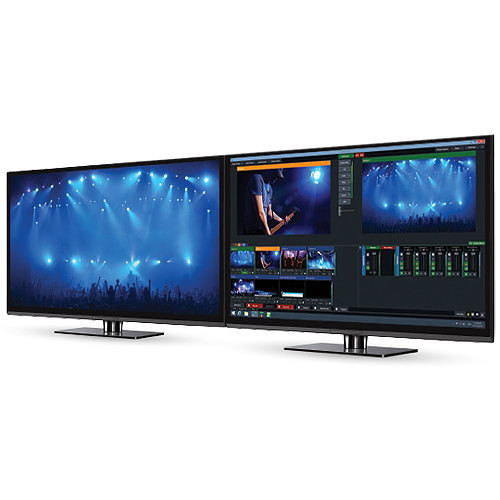
vMix 4K Live Production Streaming & Mixing Software (Download)
In Stock
SKU #
VMSCSIVMIX4K
Mfr #
SCSI-VMIX-4K
Manufacturer
vMix
Description
The multifunction 4K Live Production, Streaming & Mixing Software from vMix can switch between multiple HD or 4K sources the maximum number depending on the limitations of the computer, its GPU, and the video capture hardware installed. It can stream a live program feed out to the web over RTMP, RTSP, or Flash and can also record locally at up to HD resolution in AVI, MP4, MPEG-2 or WMV. If a video output is available, it can send out a full-quality program feed for local presentation or recording separately. Capable of more than just basic switching, effects and chroma keying are also built-in. You can add titles, incorporate virtual sets, or apply templates to give productions network-worthy results. An instant replay feature allows you to save notable moments for replay later. Slow motion up to 400% can even be applied. This version of the software also includes the vMix Call feature, which allows you to add up to four remote guests to your production who are connecting with a web browser on Mac or Windows or with iOS or Android devices. vMix Call features include NDI support, return video/audio for each guest up to 1080p, encryption, selectable outputs, and audio mixing. There is a built-in audio mixer so you won't have to rely on a separate hardware mixer. Audio can be sourced via embedded audio, the capture device's audio inputs, through a separate audio interface, or even be played from a pre-recorded audio file. vMix Live Production software runs on Windows and works with a variety of video capture and I/O devices, including models from Blackmagic Design, Matrox, AJA, and more. Supports Live and Virtual Input SourcesVirtually Unlimited Number of Input Sources Supported The software supports up to 1000 sources, including virtual as well as hardware sources. In practice, the total number will depend on the limitations of your computer, GPU, and capture hardware. An average workstation configuration with dedicated GPU can support about eight HD (or two 4K) sourcesCamera Use a video I/O card such as a Blackmagic or AJA product to capture from a live camera or external video feed. Up to 4K resolution is supported, depending on the limitations of the card and computer hardware. FireWire (HDV/DV) capture is also supported; however, there will be a significant delay.Remote Screen Capture Use the desktop from a Mac or Windows computer connected to the same network as a computer running vMix as a virtual input. Ideal for PowerPoint and Skype. Note: Audio Capture support for Skype and other videoconferencing software is available under Windows 7.Play from Files Previously recorded footage can be treated as an input source. Supported file types include AVI, MP4, H.264, MPEG-2, WMV, and QuickTime.DVDs DRM-free DVD content can be incorporated into the program feed, complete with menu navigation.Audio Files Use sound cues, music tracks, and other aural elements to spice up your production. vMix plays back MP3 and WAV files.External Audio Use the audio accompanying your video, a separate audio interface, or your computer's sound card to capture live sound.Video and Audio Playlists Combine multiple video and audio files into a bundle that will play on a single input channel.Other Supported Media In addition to audio and video, vMix supports PowerPoint, photos and other still image graphics, solid colors, and more.
Product Information
Availability:
In Stock