
- Products
-
Audio & Studio Equipment
See all
-
Cameras & Optics
See all
- Computers & Mobile Devices
- Drones & Aerial Imaging
-
Professional Video & AV
See all
- Security & Surveillance
- TVs & Entertainment
SubcategoriesSee all -
Audio & Studio Equipment
- About us
- Contact Us
- +1-888-219-0753
- Bulk Order

- Products
-
Audio & Studio Equipment
See all
-
Cameras & Optics
See all
- Computers & Mobile Devices
- Drones & Aerial Imaging
-
Professional Video & AV
See all
- Security & Surveillance
- TVs & Entertainment
SubcategoriesSee all -
Audio & Studio Equipment
- About us
- Contact Us
- +1-888-219-0753
- Bulk Order
HomeCatalogComputers & Mobile DevicesSoftware & TutorialsHome & Office SoftwareBitdefender Total Security (Download 10 Devices 1 Year)
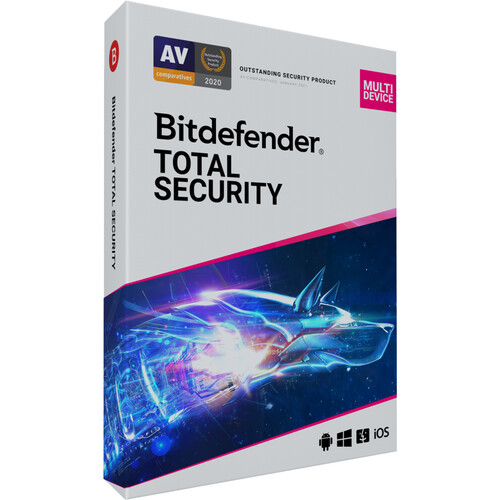
Bitdefender Total Security (Download 10 Devices 1 Year)
In Stock
SKU #
BITS10D1Y
Mfr #
TS01ZZCSN1210LEN
Manufacturer
Bitdefender
Description
Protect your computer, your data, and your family with Total Security from Bitdefender. Total Security is a software suite filled with digital protection features that go far beyond just anti-virus and malware detection. Total Security also provides multi-layer protection from ransomware attacks, protection from phishing, fraud, spam, and more - in real time. Total Security also safeguards your family with built-in advanced parental controls, and helps to keep your activity and personal data private with 200MB/day of secure VPN service. Bitdefender provides all of this and more, yet worked to make sure installation is easy and intuitive with a user-friendly interface. They also programmed this protective software suite to put minimal impact on your system while running. Speaking of which, this version of Total Security gives you a 1-year license and can run on 10 different Windows, macOS, Android, or iOS devices. Please note that some features may not be available on all devices.Protection Features Real-Time Data Protection: (Windows) Protects against all e-threats, from viruses, worms, trojans, ransomware, zero-day exploits, rootkits, and spyware Network Threat Prevention: (Windows) Analyzes and identifies suspicious network-level activities and blocks sophisticated exploits, malware, or botnet-related URLs, as well as brute force attacks Advanced Threat Defense: (Windows) Uses behavioral detection to monitor active apps and takes instant action to prevent infections if it detects anything suspicious Web Security: (Windows) Blocks all known infected links and filters search results to let you know if a link is safe before you click it Anti-Phishing: (Windows, macOS) Sniffs and blocks websites masquerading as trustworthy Anti-Fraud: (Windows) Filtering system warns you whenever you visit a website that may try to scam you Anti-Spam: (Windows) Filters out irrelevant messages in your inbox. It supports local email clients Microsoft Outlook and Thunderbird Safe Files: (Windows, macOS) Prevents unauthorized changes to files you specify and lets you set which programs can access them Rescue Mode: (Windows) When detecting certain viruses, such as rootkits, it will reboot your computer into Rescue Mode to clean-up the threat Anti-Theft: (Windows) Anti-loss and anti-theft tools for Windows laptops or tablets that you can access anywhere in the world via your Bitdefender Central account Anti-Theft: (Android) Remotely locate, lock, wipe, or send a message to your device in case of loss or theft. This also snaps a mugshot of anyone trying to tamper with your device and emails it to you Time Machine Protection: (macOS Only) Provides your Time Machine backups with protection against ransomware Block Adware: (macOS) Detects and removes adware from your browser, in addition to malicious hijacker programs, unwanted toolbars, and annoying browser add-ons Malware Detection: (macOS) Detects and removes malware for the macOS, as well as for Windows, helping to prevent the spread of Windows malware from Mac users Traffic Light: (macOS) Protects all browsing activity, filters out inappropriate content, and scans all links before you click them Bitdefender Shield: (macOS) Designed to handle all of your security needs automatically, and is designed to have no negative impact on speed & performance Web Protection: (iOS, Android) Scans and warns you of fraudulent pages to help prevent phishing scams. It also scans all traffic, not just intentional browsing, for real-time protection against online threatsOn-Demand & On-Install Scan: (Android) Lets you scan your apps at any time, and it automatically scans new apps once you install them WearON: (Android) Transfers security to your Android smartwatch. You can also use WearOn to activate a sound alert on your phone to find it, and receive an alert if you move too far away from your phonePerformance Features Autopilot: (Windows, macOS, Android) A security advisor that gives security insights and recommended
Product Information
Availability:
In Stock