
- Products
-
Audio & Studio Equipment
See all
-
Cameras & Optics
See all
- Computers & Mobile Devices
- Drones & Aerial Imaging
-
Professional Video & AV
See all
- Security & Surveillance
- TVs & Entertainment
SubcategoriesSee all -
Audio & Studio Equipment
- About us
- Contact Us
- +1-888-219-0753
- Bulk Order

- Products
-
Audio & Studio Equipment
See all
-
Cameras & Optics
See all
- Computers & Mobile Devices
- Drones & Aerial Imaging
-
Professional Video & AV
See all
- Security & Surveillance
- TVs & Entertainment
SubcategoriesSee all -
Audio & Studio Equipment
- About us
- Contact Us
- +1-888-219-0753
- Bulk Order
HomeCatalogComputers & Mobile DevicesSoftware & TutorialsPost Production SoftwareVideo Copilot Twitch (Download)
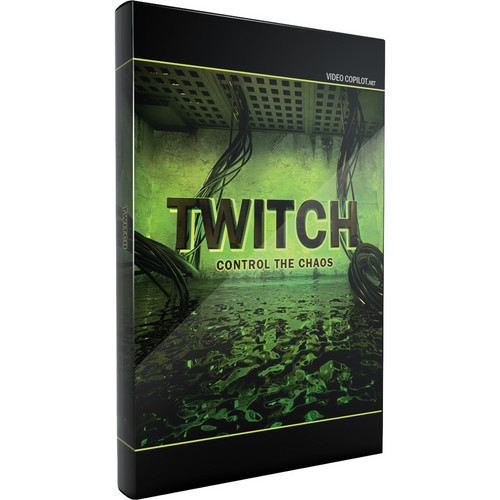
Video Copilot Twitch (Download)
In Stock
SKU #
VITW
Mfr #
TWITCH
Manufacturer
Video Copilot
Description
The Video Copilot Twitch Create Chaos is an After Effects plug-in that allows you to match random operators to make stylistic video effects for motion graphics and visual effects. You can use Twitches with multiple operators to generate unique custom effects. The Twitches can be adjusted to make them fast or slow.The Twitch Create Chaos comes with 6 built-in operators such as blur, color, light, scale, slide, and time. The operators feature an on/off switch, and enable you to easily toggle on or off individual effects. Multiple operators can be quickly reframed with 1 parameter as the functions are controlled by a master amount and speed slider. In addition to advanced individual controls over amount and speed, the operators also offer an option to use a unique random seed value.Featuring a Twitch Only function, the Twitch Create Chaos is an ideal tool for blending 2 separate shots with twitch, and only renders the frames that comprise twitching and keeps the rest transparent. The plug-in also comes with Freeze Twitch that allows you to hold the twitch values over a full piece of footage, using After Effects. The twitch values remain editable, and settings can be modified.In addition to 10 twitch sound effects and 25 effects presets, the Twitch Create Chaos comes with 7 video tutorials (75 minutes) that offer training on advanced features such as distortion FX, film shifting, and twitching to the beat of music. The plug-in is suitable to be used with motion graphics, music videos, film flashbacks, transitions, and frightening effects.None After Effects plug-inNone Allows you to match random operators to make stylistic video effects for motion graphics and visual effectsNone Twitches - random values at random points in time can be adjusted to make them fast or slowNone You can use Twitches with multiple operators to generate unique custom effectsNone 6 built-in operators: Blur Operator - contains advanced features such as a threshold slider, transfer modes, and aspect controlColor Operator - allows you to colorize twitches and randomize colorLight Operator - similar to an exposure function; allows you to select from adding brightness or darkness to Twitches or even bothScale Operator built-in motion blur and random anchorSlide Operator - offers many controls over slide, motion blur, tendency, and the advanced RGB splitTime Operator allows you to randomly offset footage forward or backwardsNone Operators feature an on/off switch - enables you to easily toggle on or off individual effectsNone Multiple operators can be quickly reframed with 1 parameter as functions are controlled by a master amount and speed sliderNone Operators offer advanced individual controls over amount and speed, and an option to use a unique random seed valueNone Twitch Only function - ideal tool for blending 2 separate shots with twitch, and only renders the frames that comprise twitching and keeps the rest transparentNone Freeze Twitch - allows you to hold the twitch values over a full piece of footage, using After Effects. Twitch values remain editable, and settings can be modifiedNone 10 twitch sound effects and 25 effects presetsNone Offers 7 video tutorials (75 minutes) - training on advanced features such as distortion FX, film shifting, and twitching to the beat of musicNone Suitable for use with motion graphics, music videos, film flashbacks, transitions, and frightening effects
Product Information
Availability:
In Stock