
- Products
-
Audio & Studio Equipment
See all
-
Cameras & Optics
See all
- Computers & Mobile Devices
- Drones & Aerial Imaging
-
Professional Video & AV
See all
- Security & Surveillance
- TVs & Entertainment
SubcategoriesSee all -
Audio & Studio Equipment
- About us
- Contact Us
- +1-888-219-0753
- Bulk Order

- Products
-
Audio & Studio Equipment
See all
-
Cameras & Optics
See all
- Computers & Mobile Devices
- Drones & Aerial Imaging
-
Professional Video & AV
See all
- Security & Surveillance
- TVs & Entertainment
SubcategoriesSee all -
Audio & Studio Equipment
- About us
- Contact Us
- +1-888-219-0753
- Bulk Order
HomeCatalogAudio & Studio EquipmentStudio RecordingAll Computer AudioZenDAW Touch Workspace Software for Cubase and Nuendo
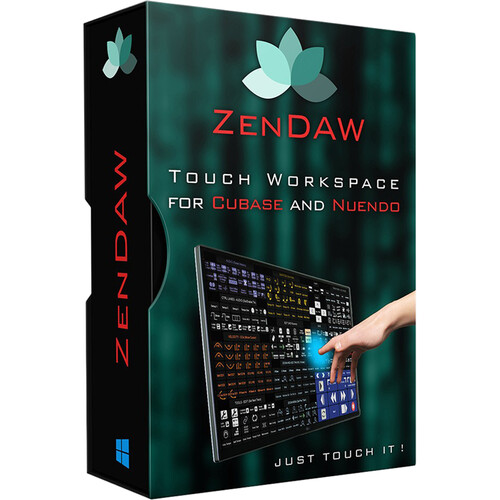
ZenDAW Touch Workspace Software for Cubase and Nuendo
In Stock
SKU #
ZEZENDAW
Mfr #
ZENDAW
Manufacturer
ZenDAW
Description
Maximize the usefulness of your touchscreen monitor when producing music in Cubase or Nuendo with ZenDAW Touch Workspace Software, a Windows-compatible standalone application that provides over 300 intuitive, premapped actions and hassle-free integration. All it takes is a tap on your touchscreen or a click of your mouse to execute loads of well-organized Cubase/Nuendo commands, from track functions and tool selection, to transport operations, VST preset browsing, and marker insertion. Thanks to a logical layout with color coding, menu names, and button icons, ZenDAW enhances your workflow without requiring coding, time-consuming set up, or driver installation.Smart Scripts for Cubase and Nuendo ZenDAW is a powerful touch workspace for Windows 7 and above. It has been designed to efficiently control your Steinberg Cubase or Nuendo DAW from any physical touchscreen found on the market. Its smart scripts give access to over 300 Cubase/Nuendo key commands and functions from the tip of a finger.Intuitive Layout Commands are located exactly where you would expect them to be on a touchscreen monitor for Windows OS platforms, without having to think about it. It preserves your inspiration thanks to an improved technical workflow.Extensive Functions Ready-to-use gesture assignments cover most commands performed by users, such as show/hide channel, select, zoom, retrospective MIDI recording, VST preset browsing, send audio to sampler track, full transport and navigation operations, insert marker, and menu section controls for Audio, Add Tracks, Edit, Quantize, Notes, Velocity, Pitch, Solo Mode, and more.Stable Software Rather than installing software drivers or overlays within your DAW, it lives natively within the Windows built-in touch OS environment. It is therefore extremely stable compared to other touchscreen controllers found on the market.Feature Highlights Runs under Windows 7 to 10No coding or drivers neededReady-to-use workflow within Steinberg's Cubase (9 and later) and Nuendo (10 and later)Over 300 premapped Cubase/Nuendo touchscreen actionsBuilt within Windows touch OS for rock-solid stability (no drivers are installed within the DAW)Automatically adapts to your touchscreen monitor sizeCommands are easy to memorize thanks to smart color codes, menu titles, and personalized button iconsNine elegant toolbar presets to best fit your personal workflowMade for touchscreens, but is still functional when using a regular mouse to operate on a regular non-touch monitor (Full HD advised)
Product Information
Availability:
In Stock